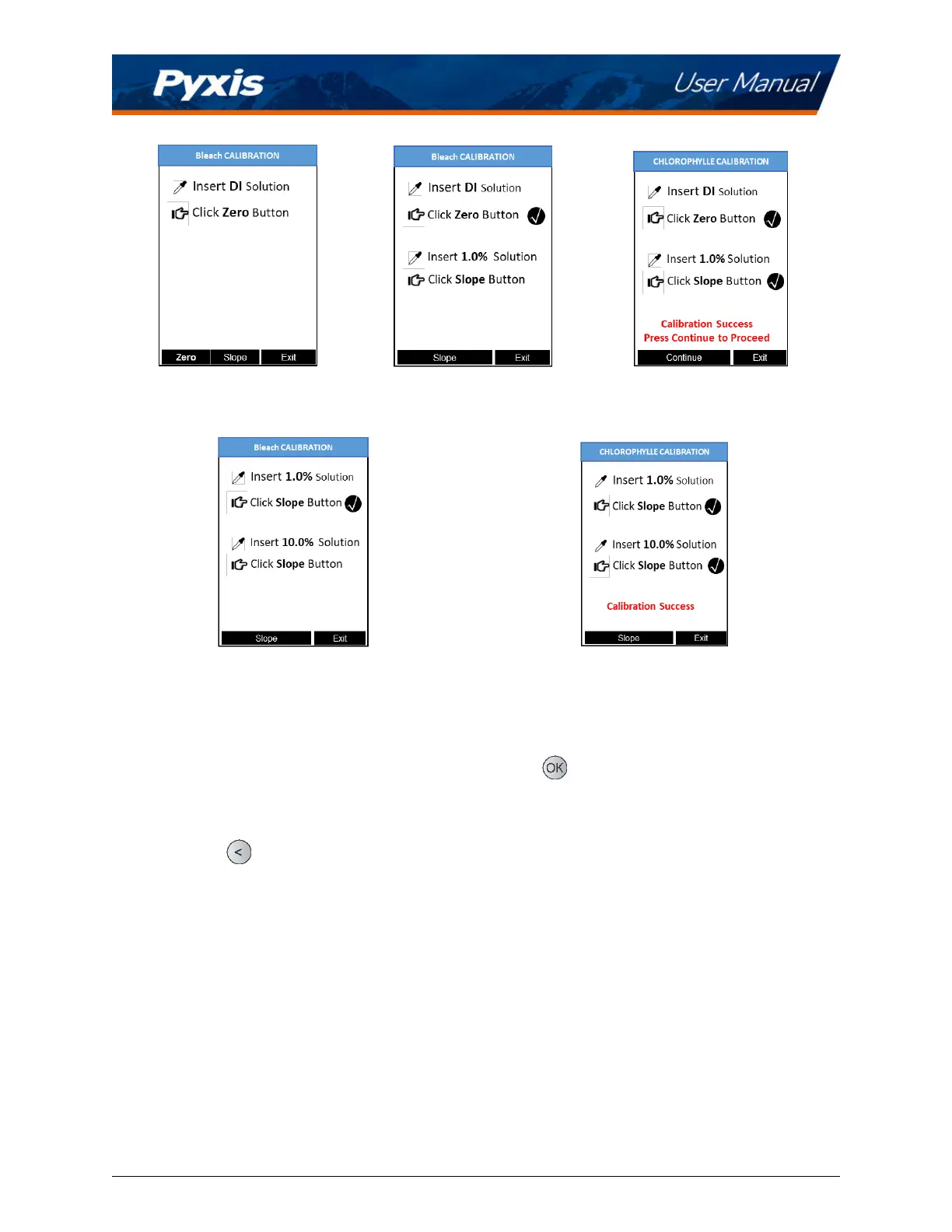
Figure 3. Figure 4. Figure 5.
Figure 6. Figure 7.
8 Device Informaon and Diagnosis
The DEVICE INFORMATION screen is launched when Sys/Cal ( ) is pressed in the measurement mode.
This screen contains the device serial number, soware version, and hardware version (Figure 8). The bat-
tery life as a percentage and the MAC addresses for main module also shown.
Press Diagnosis (
) to launch the SYSTEM DIAGNOSIS screen where raw measurement data are displayed
(Figure 9). The informaon has no use for normal operaon, but instead is used for device troubleshoong.
Provide an image of both the DEVICE INFORMATION screen and the SYSTEM DIAGNOSIS screen when you
contact Pyxis (
service@pyxis-lab.com) for troubleshoong your device or call +1 (866) 203-8397.
SP-210 User Manual service@pyxis-lab.com | +1 (866) 203-8397 8



 To Next Page