5 Instrument Overview
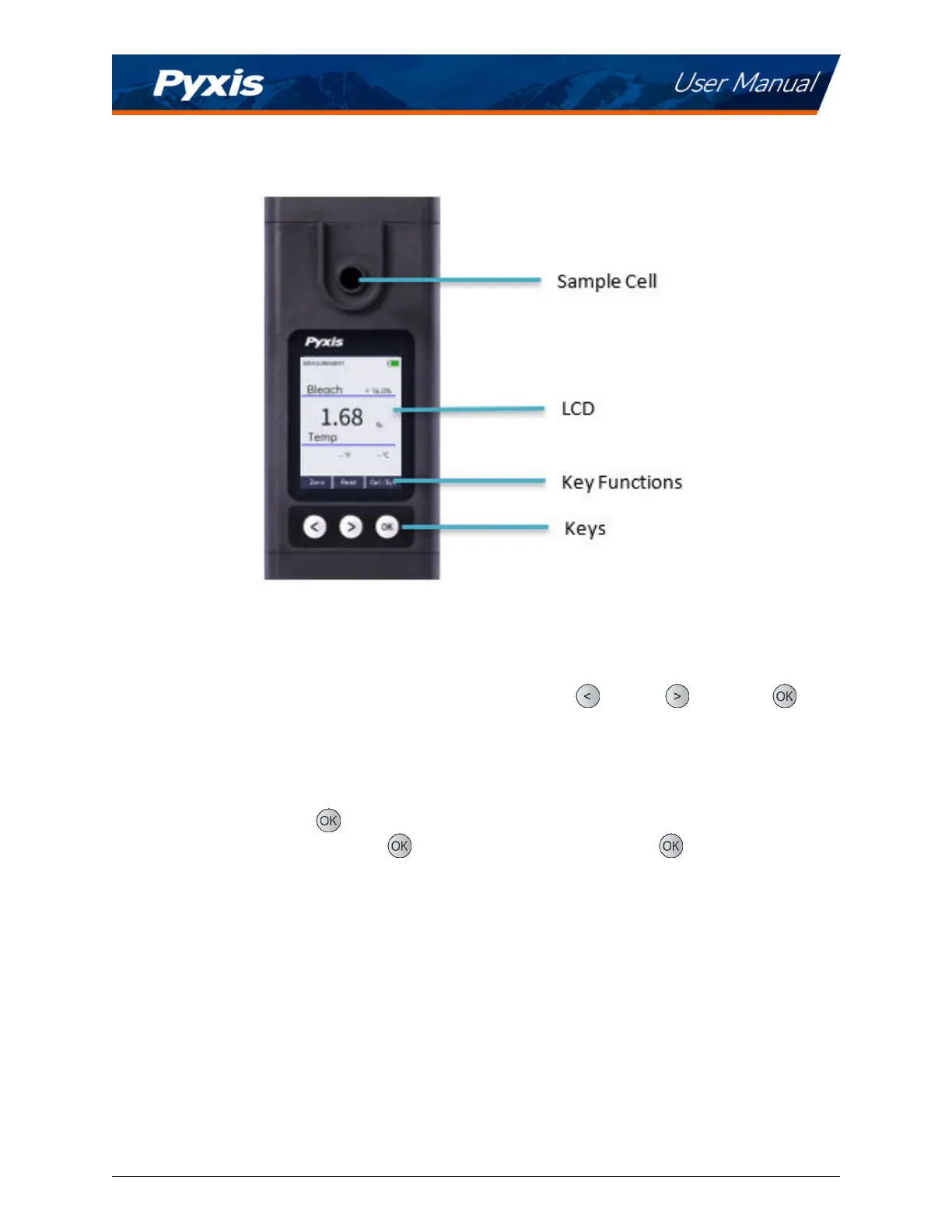
Figure 2.
5.1 Control Keys
The SP-210 has three control keys, as shown in Figure 2. The le (
), right ( ), and OK ( ) keys
are used to launch acons indicated on the LCD display directly above the keys. The labels above the keys
indicate the funcon associated with each key and funcons can be changed in dierent operaon modes.
5.2 Main Module On/O
To turn on the SP-210: Press
momentarily and release.
To turn o the SP-210: Press and hold
for about three seconds. Release when the LCD display
turns o. The SP-210 turns itself o aer 60 seconds without user interacon detected. This is done to
conserve baery life.
*
NOTE
*
This auto-me o seng may be customized by the user as desired through the
uPyxis® Mobile or Desktop App.
SP-210 User Manual service@pyxis-lab.com | +1 (866) 203-8397 5



 To Next Page