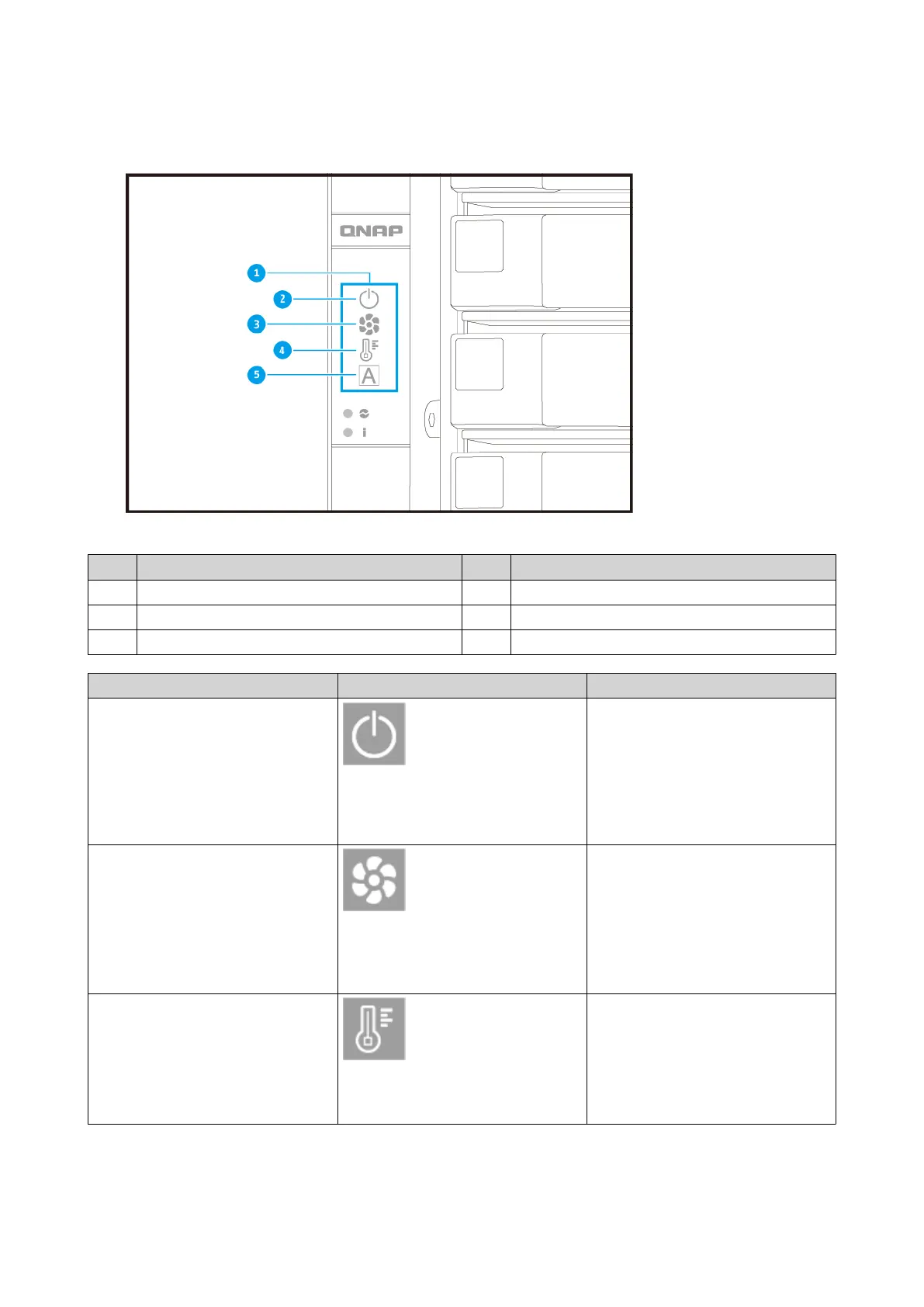
For details on the location of the OLED display, see Front Panel.
No. Component No. Component
1 OLED panel 4 Temperature status
2 Node power status 5 Global ID
3 Fan status - -
Icon name Icon Description
Node power status • On: The node is powered on.
• Flashing: The node is booting
• Highlighting: The node is
shutting down
• Off: The node is off
Node fan status • On: The fan modules of the
node are operating normally
• Flashing: The fan modules of
the node are operating
incorrectly or are not installed
• Off: The node is off
Node temperature status • On: The temperature of the
node is normal
• Flashing: The temperature of
the node is too high or too low
• Off: The node is off
GM-1000 User Guide
Product Overview 12


 To Next Page
 Loading...