

EasyManua.ls Logo

QNAP TES-1885U-D1531-32G - User Manual

QNAP TES-1885U-D1531-32G
49 pages
Print Icon
To Next Page IconTo Next Page
Loading...
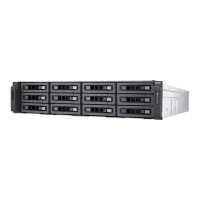
QNAP Turbo NAS
TES-x85U Series Hardware User Manual
© 2016. QNAP Systems, Inc. All Rights Reserved.
Question and Answer IconNeed help?

Do you have a question about the QNAP TES-1885U-D1531-32G and is the answer not in the manual?

QNAP TES-1885U-D1531-32G Specifications

General IconGeneral
BrandQNAP
ModelTES-1885U-D1531-32G
CategoryStorage
LanguageEnglish

Summary

Safety Warnings

CPU and Memory Specifications

Power Button and Reset Button Behavior

LED and Alarm Buzzer Specifications

LED Indicators

Explains the meaning of various LED status lights on the NAS.

Beep Alarm Functions

Describes the system alerts provided by beep sounds.

Upgrade Memory on QNAP Turbo NAS (RAM Module Installation)

Expansion Card Installation

Install and Hot-swap Hard Drives

Hard Drive Bay Numbering

Identifies and labels the physical hard drive bays on the NAS models.

Install Hard Drives

Detailed procedure for physically installing hard drives into the NAS.

RAID Recovery - Hot-Swap Hard Drives

Process for replacing failed drives in RAID to maintain data availability.

RAID Recovery - Accidentally Removal of Healthy Hard Drive (QTS)

Steps to recover RAID data after accidental removal of a healthy drive.

Install Power Supply Unit and Redundant Power Supply Mode

Replace Power Supply Unit

Instructions for replacing a faulty power supply unit.

Redundant Power Supply Mode

Explanation and configuration of the redundant PSU feature.

Technical Support

GNU General Public License

Related product manuals






