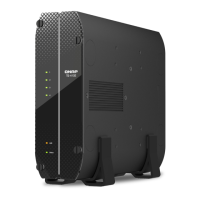
9. Connect all cables and external attachments.
10. Connect the power cord to the electrical outlet.
11. Power on the NAS.
Connecting USB Expansion Units
The TS-410E is compatible with USB expansion units. For details, please see table below.
You can purchase storage expansion accessories from QNAP or an authorized reseller.
For details, go to https://shop.qnap.com/.
For the list of compatible expansion units and the maximum number of applicable expansion units, go to
https://www.qnap.com/go/compatibility-expansion.
Expansion Unit Model Description Required Accessories
TR-002 • Uses a USB 3.2 Gen 1 Type-C
interface
• Supports SATA HDD/SDD
• USB 3.2 Gen 2 Type-A to Type-
C cable
• USB 3.2 Gen 2 Type-C to Type-
C cable
TR-004 • Uses a USB 3.2 Gen 1 Type-C
interface
• Supports SATA HDD/SDD
• USB 3.2 Gen 2 Type-A to Type-
C cable
• USB 3.2 Gen 2 Type-C to Type-
C cable
TR-004U • Uses a USB 3.2 Gen 1 Type-C
interface
• Supports SATA HDD/SDD
• USB 3.2 Gen 1 Type-A to Type-
C cable
• USB 3.2 Gen 2 Type-C to Type-
C cable
• RAIL-B02
TS-410E User Guide
Installation and Conguration 17



 To Next Page
 Loading...