Contents
1. Preface
About This Guide.......................................................................................................................................... 3
Audience.......................................................................................................................................................3
Document Conventions................................................................................................................................ 3
2. Product Overview
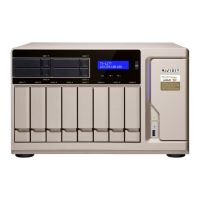
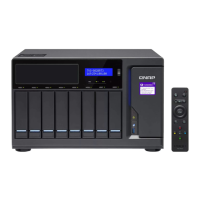
About the TVS-882BRT3.............................................................................................................................. 4
Hardware Specifications............................................................................................................................... 4
Package Contents........................................................................................................................................ 7
Components................................................................................................................................................. 7
Front Panel...............................................................................................................................................7
Back Panel............................................................................................................................................... 8
Right Panel...............................................................................................................................................9
Left Panel............................................................................................................................................... 10
Drive Numbering.....................................................................................................................................10
M.2 Solid State Drive Numbering........................................................................................................... 11
Installation Requirements............................................................................................................................11
Setting Up the NAS.....................................................................................................................................11
3. Installation and Configuration
Hardware Installation.................................................................................................................................. 13
Drive Installation.....................................................................................................................................13
Optical Drive Installation.........................................................................................................................23
Installing Expansion Cards.....................................................................................................................35
Replacing Memory Modules...................................................................................................................39
Replacing CPU Fans..............................................................................................................................43
QTS Installation.......................................................................................................................................... 49
Installing QTS Using Qfinder Pro........................................................................................................... 49
Installing QTS Using the Cloud Key....................................................................................................... 51
Installing QTS Using an HDMI Connection............................................................................................ 52
4. Basic Operations
Power Button.............................................................................................................................................. 54
Reset Button............................................................................................................................................... 54
USB One-Touch Copy Button..................................................................................................................... 54
LCD Panel.................................................................................................................................................. 55
Viewing TCP/IP Settings........................................................................................................................ 55
Configuring TCP/IP Settings...................................................................................................................55
Viewing Drive Information.......................................................................................................................56
Viewing Volume Information...................................................................................................................56
Viewing System Information...................................................................................................................57
Powering Off the NAS............................................................................................................................ 57
Restarting the NAS.................................................................................................................................57
Changing the LCD Password................................................................................................................. 57
LCD Error Messages..............................................................................................................................58
LEDs........................................................................................................................................................... 58
Beep Alarm................................................................................................................................................. 60
5. Troubleshooting
Forcing Qfinder Pro or myQNAPcloud to Locate the NAS......................................................................... 61
TVS-882BRT3 User Guide
1


 To Next Page
 Loading...