Using Other Applications | 165
9.7 Using Voice Speed Dial
You can record voice tags so that you can dial a phone number or
launch programs simply by speaking a word
Create a voice tag for a phone number
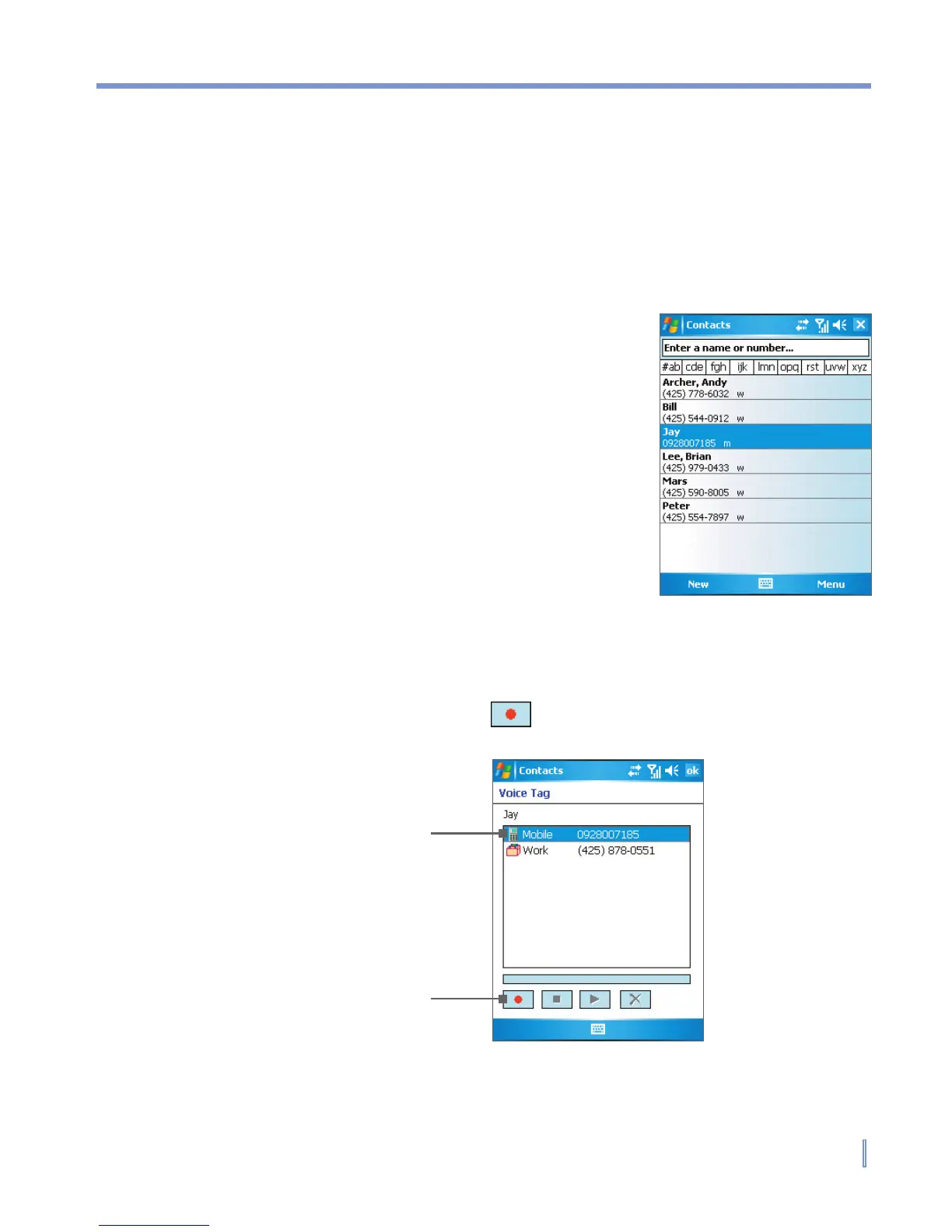
1. Tap Start > Contacts, or tap Contacts
on Today screen, to open the Contacts
list.
2. Do one of the following:
• Tap and hold the desired contact,
then tap Add Voice Tag.
• Select the desired contact, then tap
Menu > Add Voice Tag.
• Tap the desired contact to open
the contact’s detailed screen, then
select a phone number and tap
Menu > Add Voice Tag.
3. Select the phone number that you want to create a voice tag,
then tap the record button ( ).
Select the desired
phone number.
Tap the record button
to start recording.



 To Next Page