29
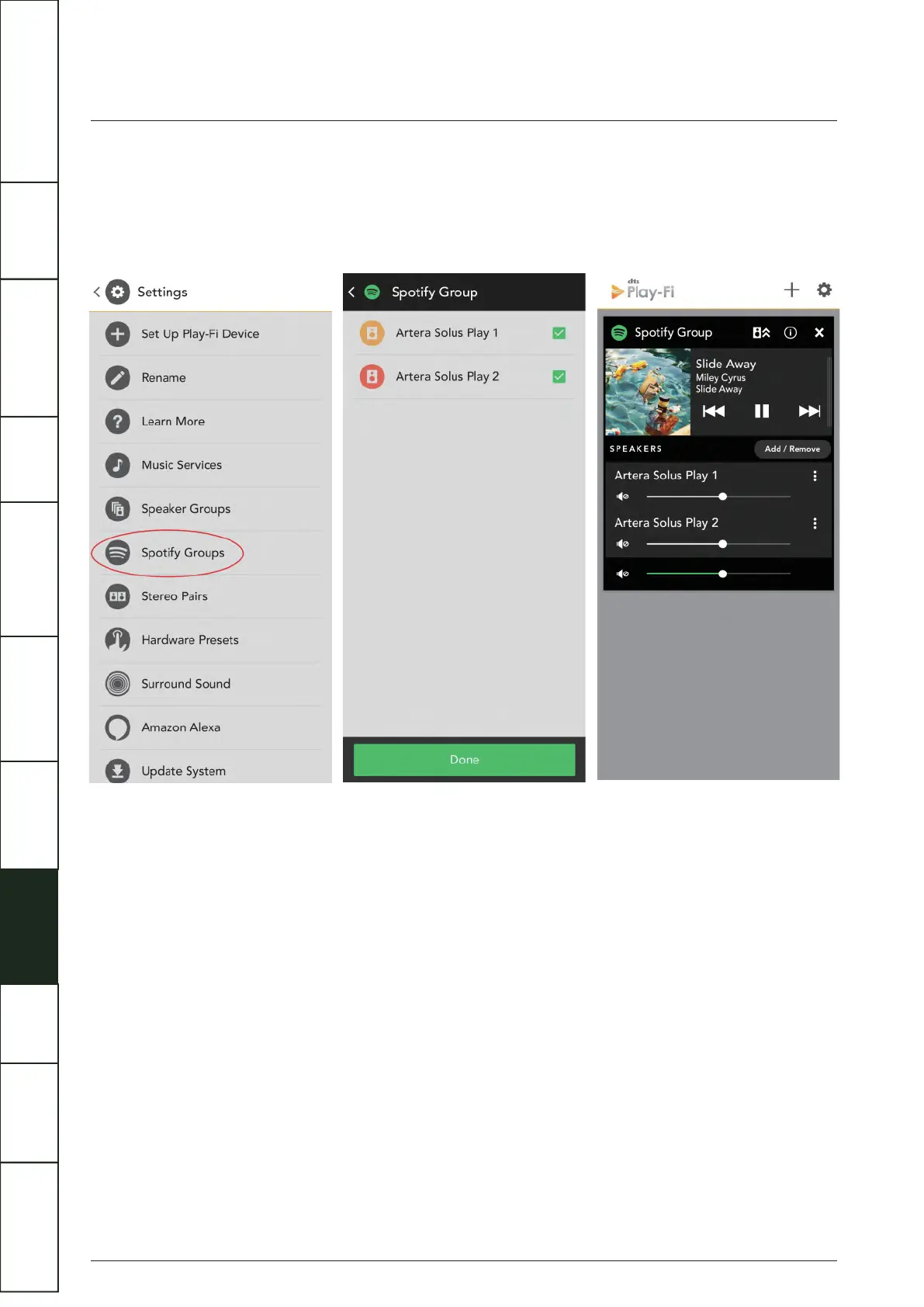
Spotify Group Setup
Open the Set Up of the DTS Play-Fi app and click the Spotify Group. Create a new group and name for it, then select any Play-Fi
products you want to add into this group (on the right side). Any speakers that can’t be added to the Spotify Group will show in
grey. Any speakers that can't be joined to a Spotify Group will be greyed out. Once you’re satisfied, head to the Spotify app to start
streaming.
Surround Sound
So far, Artera Solus Play cannot support the play of “Surround Sound”. For the common problems in utilization and fault diagnosis,
you can open the APP settings to find the "Fault diagnosis", then enter the DTS Play-Fi website knowledge base which has the
detailed information.
Update System
If there is an update available, click “Update System” and the process will carry on automatically. Click “About”, you can see the
DTS Play-Fi’s APP version and the status of network connection, IP address and versions of the module software and MCU. For
'Advanced Settings' you can choose from various options - the default mode is recommended.
IMPORTANT
SAFETY INFORMATION
REMOTE
HANDSET
CONTROLS AND
FUNCTIONS
CONNECTIONS
SYSTEM
OPERATIONS
DTS PLAY-FI
®
WIRELESS...
MENU
OPTIONS
SPECIFICATIONS CONTENTSINTRODUCTION
WARRANTY
COVERAGE



 To Next Page