CONNECTIONS
Open the carton box, take out the glass top and the Artera Solus Play separately. Place the Artera Solus Play onto a sturdy shelf or
table. Put the glass top on the lid of Artera Solus Play after making all connections.
Before making any connections to your high fidelity equipment make sure that all units in the system are switched off and
unplugged at the mains.
Mains Connections
Before connecting your QUAD equipment to the AC mains supply, check and make sure the voltage marked on the back matches
the voltage of your supply.
Power On/Off switch
The Power On/Off switch is on the rear panel of QUAD Artera Solus Play. When the TRIG OUT(+12V) of Artera Solus Play is
connected to TRIG IN of QUAD Artera Stereo using a 3.5mm mono cable then the triggers are ready for the connection. This
switch should be left switched on as the Artera Solus Play will remotely switch QUAD Artera Stereo on when it is brought in and out
of standby. The On/Off switch may be switched off when Artera Stereo or Artera Solus Play is not in use.
Analogue Signal Input Connections
The Unbalanced Input
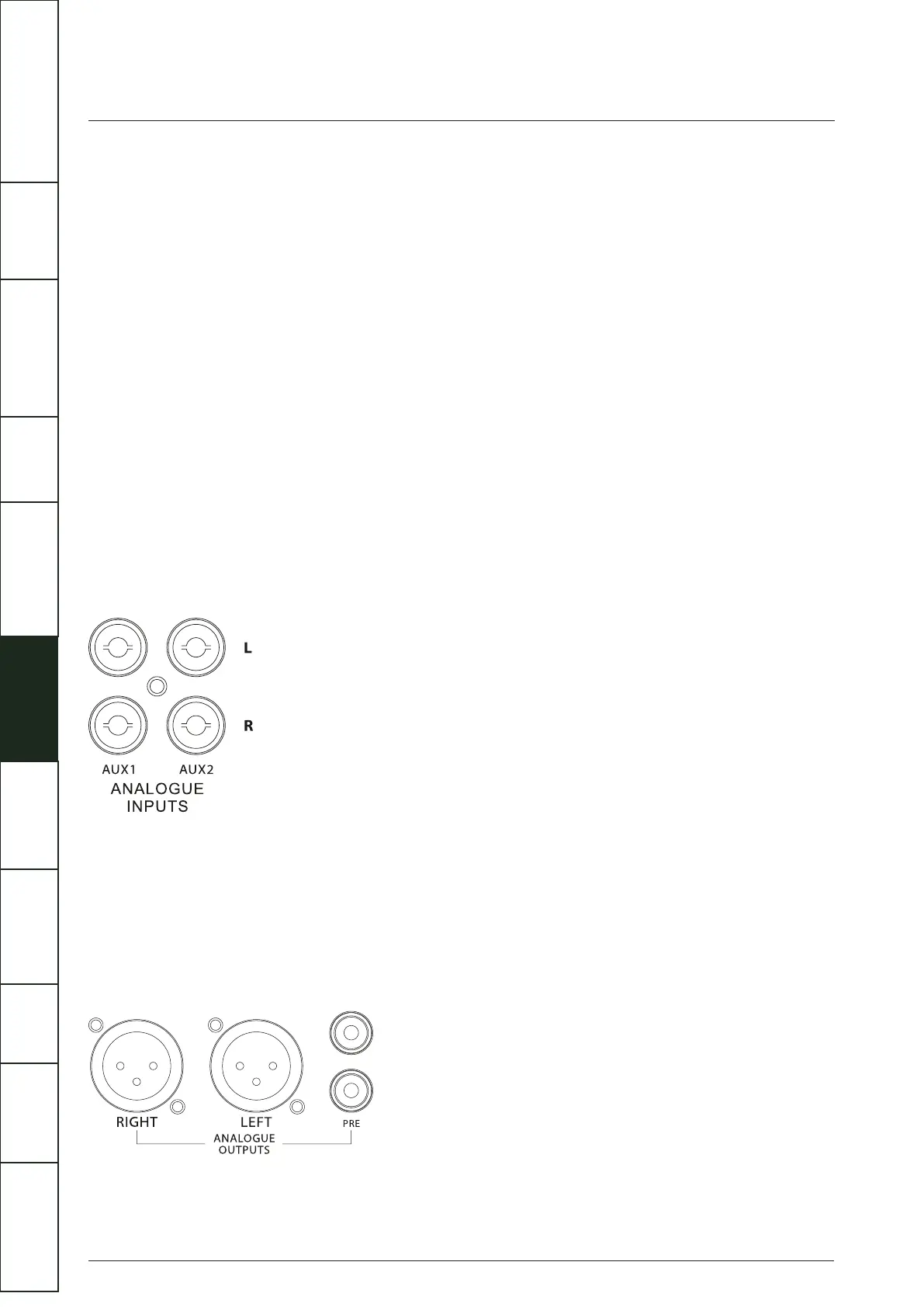
AUX1 and AUX2 are two sets of RCA unbalanced analogue inputs.
Connect RCA phono interconnects between the unbalanced input on the Artera Solus Play rear panel with the matching output of
the source unit. Interconnects should be of low-noise construction and fully screened to minimize hum and noise transmission.
Analogue Signal Output Connections
The XLR Balanced Output
If you are connecting a QUAD Artera Solus Play to a QUAD Artera Stereo or other amplification with balanced inputs we strongly
advocate the use of the balanced XLR connections.
A major advantage of balanced interconnects is the suppression of ground loop problems. Balanced line inputs use 3 conductors,
one for the ground and two for the voltage difference between the signal and the ground at the source unit. The signal is thus
‘cleaner’ and free from earth-induced currents and other LF artefacts and provides an improved S/N ratio.
7
IMPORTANT
SAFETY INFORMATION
REMOTE
HANDSET
CONTROLS AND
FUNCTIONS
CONNECTIONS
SYSTEM
OPERATIONS
DTS PLAY-FI
®
WIRELESS...
MENU
OPTIONS
SPECIFICATIONS CONTENTSINTRODUCTION
WARRANTY
COVERAGE



 To Next Page