The Unbalanced Output
The QUAD Artera Solus Play has one set of unbalanced RCA analogue signal outputs (PRE) for connection to units which do not
feature balanced inputs.
Headphone Output
A stereo 6.3mm(1/4’’) jack is provided on the front panel for connecting headphones. Connecting headphones mutes the audio
signal to the speaker outputs. Artera Solus Play headphone output is graded up to 100, users can select a comfortable output level
to suit their headphones.
Caution: When using headphones, playing music at very high volumes may permanently damage your hearing.
Digital Signal Input Connections
As the DACs in the Artera Solus Play will be superior to those of regular DVD players, DVB receivers, etc. we urge you to use the
digital inputs of the Artera Solus Play for superior sound reproduction. The digital inputs are customizable to suit your source
equipment.
Coaxial Inputs
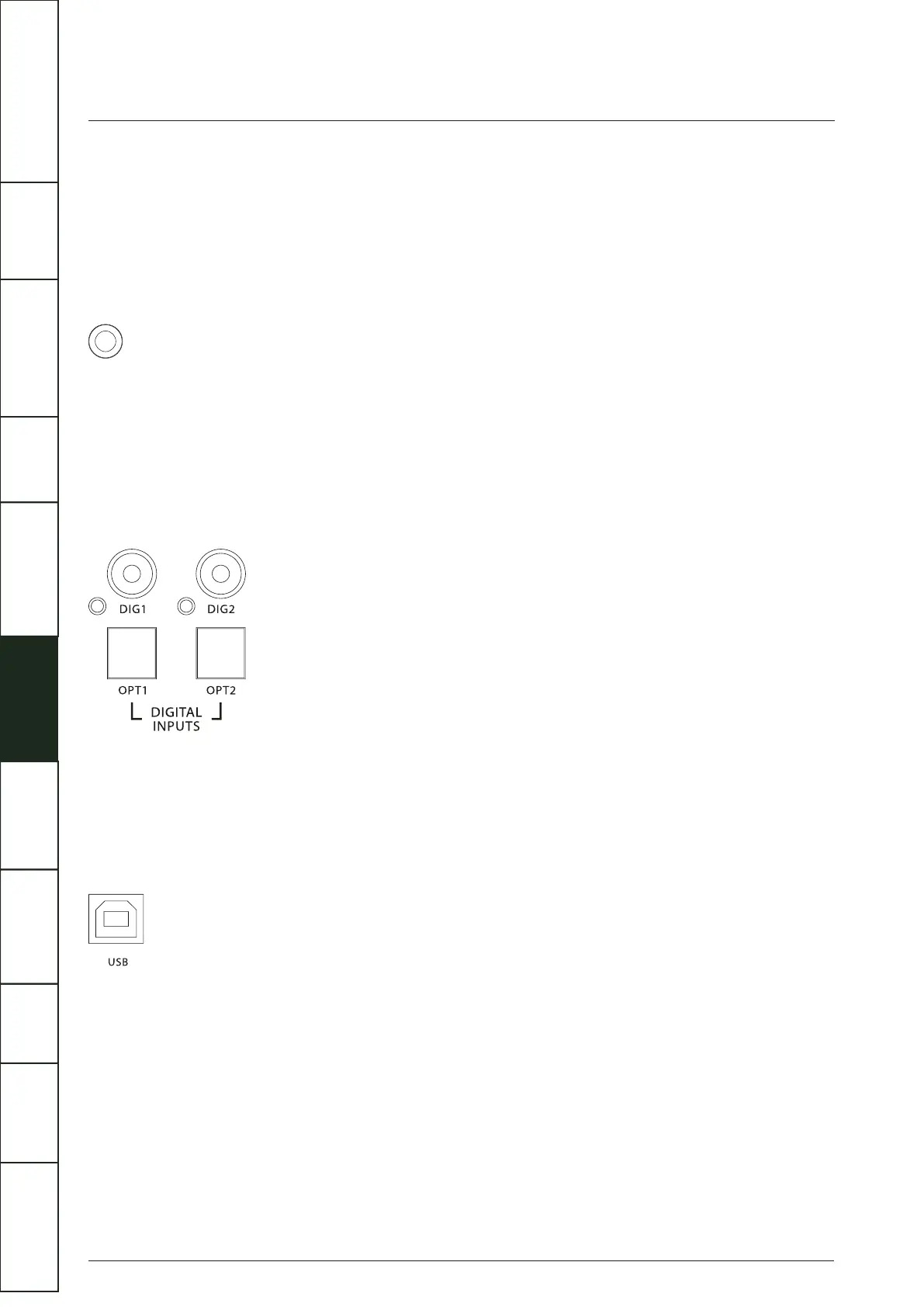
DIG1 and DIG2 are coaxial SPDIF inputs. Connect an RCA digital interconnect between the digital coaxial output of the source
unit to the required input on the Artera Solus Play.
Optical Inputs
OPT1 and OPT2 are optical SPDIF inputs. Connect an optical (TOSlink) interconnect between the digital optical output of the
source unit to the required input on the Artera Solus Play.
USB Input
The USB input enables you to connect a Mac or PC to the Artera Solus Play for playing audio files stored on a computer. Connect
a USB cable between a USB port on the computer to the USB input on the Artera Solus Play.
Digital interconnects should be adequately specified and kept short to optimise performance.
Digital Signal Output Connections
Two digital outputs are provided. These outputs are for those who wish to connect the Artera Solus Play to the digital (SPDIF) inputs
of external devices.
8
IMPORTANT
SAFETY INFORMATION
REMOTE
HANDSET
CONTROLS AND
FUNCTIONS
CONNECTIONS
SYSTEM
OPERATIONS
DTS PLAY-FI
®
WIRELESS...
MENU
OPTIONS
SPECIFICATIONS CONTENTSINTRODUCTION
WARRANTY
COVERAGE



 To Next Page