DIG & OPT Outputs
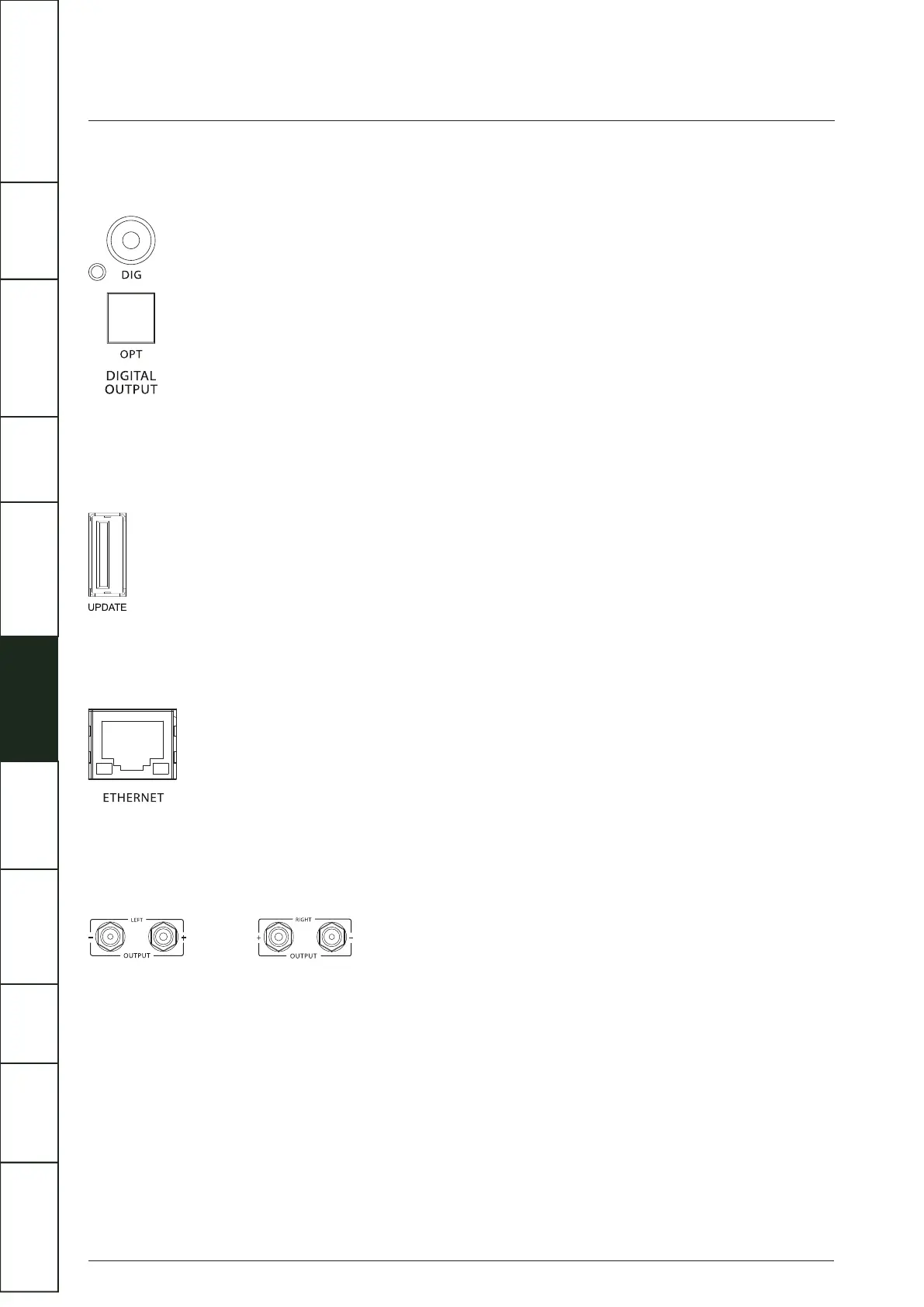
A coaxial and an optical output are available. These are the connections that will be normally used to connect the Artera Solus
Play to external standard audio DACs.
Software Update
Artera Solus Play supports USB disk upgrade:
Put the file “Artera.bin” on the USB disk, plug it into the UPDATE USB interface, press and hold the “STANDBY” button on the front
panel while switching the power on (using the rear panel switch). Artera Solus Play will upgrade automatically.
Ethernet Port
Use a suitable cable to plug the Ethernet Port to the LAN port of a wireless router for wired connection. It is recommended to use
a wired connection when playing high resolution audio, which makes the playback more stable and smooth.
Speaker Output
One pair of amplifier outputs is provided on the rear panel to connect loudspeakers. Loudspeaker cables should be prepared
carefully. Make sure that all channels are connected in phase. The positive (red) output terminal of each channel should be
connected to the positive (red) terminal of the speaker.
Wi-Fi / Bluetooth Antenna
DTS Play-Fi is compatible with any router which is authenticated to Wi-Fi standards. We recommend the use of 802.11n or better
which enables 2.4GHz and 5GHz transmission frequencies. If you have the option, 5GHz connection will give the most stable
performance.
Bluetooth uses the same antenna as Wi-Fi, and supports the 2.4GHz frequency band. In order to achieve the best effect and the
best stability of Bluetooth playback, please position the antenna vertically and the broadcasting device within 10m.
9
IMPORTANT
SAFETY INFORMATION
REMOTE
HANDSET
CONTROLS AND
FUNCTIONS
CONNECTIONS
SYSTEM
OPERATIONS
DTS PLAY-FI
®
WIRELESS...
MENU
OPTIONS
SPECIFICATIONS CONTENTSINTRODUCTION
WARRANTY
COVERAGE



 To Next Page