18
Playing an External SPDIF input
There are two optical and two coaxial SPDIF inputs for QUAD Artera Solus Play: OPT1-OPT2-DIG1-DIG2, press the required
button on the handset or short touch the SOURCE button on the front panel to select the desired input.
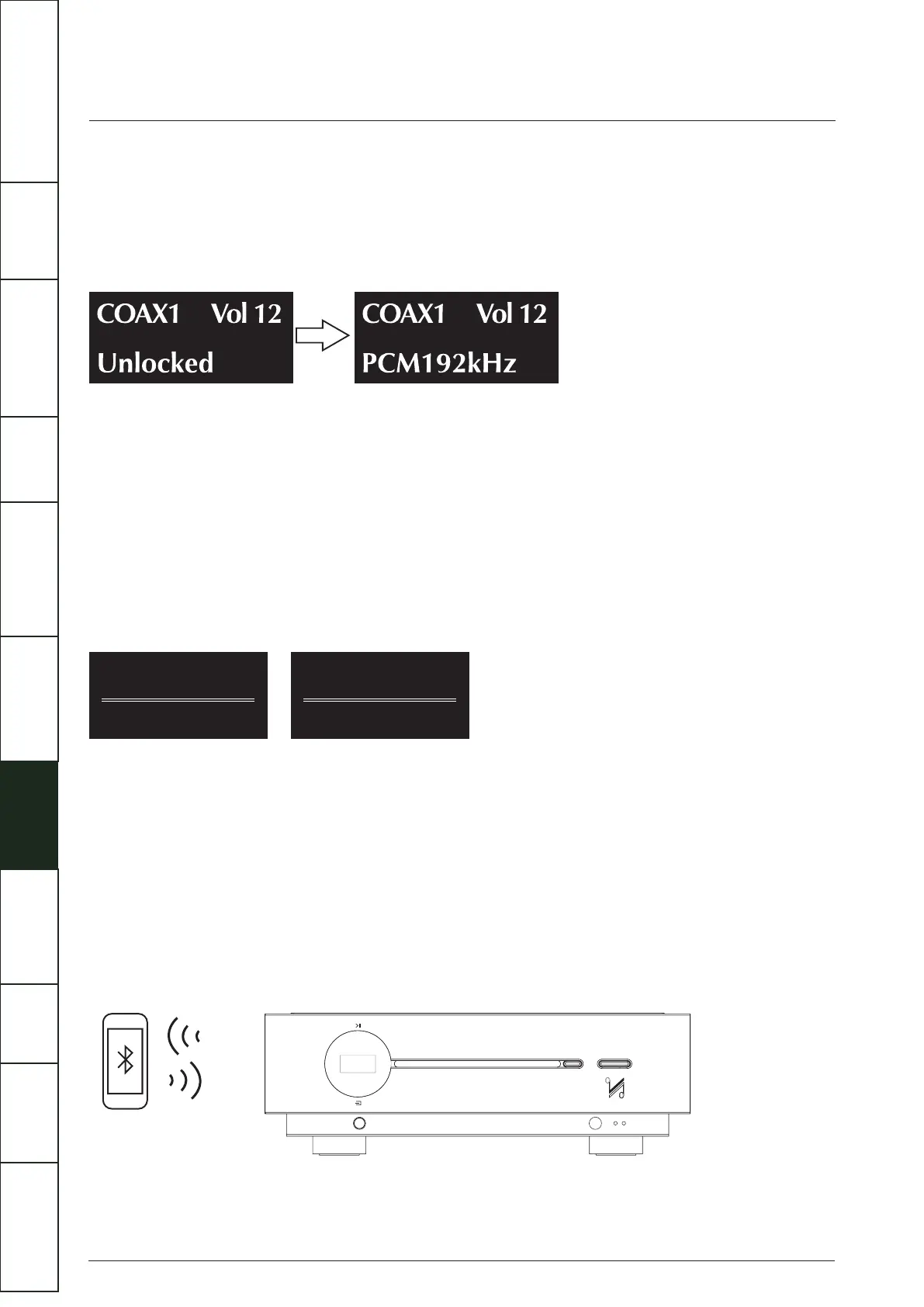
“Unlocked” will be displayed if there is no input signal for SPDIF input. The display screen will then display the sampling frequency
when there is an input signal for SPDIF input. The displays shown below are the cases when the info key is pressed on the handset.
(e.g. input sampling frequency is 192KHZ for DIG1 )
When playing an external SPDIF input, volume, mute, info and display functions only are available. All other control functions are
carried out from the source unit.
DPLL Setting
DPLL setting is used for changing the bandwidth of the digital phase lock loop of the D/A converter to accommodate different levels
of jitter on the incoming SPDIF signal.
Long press the corresponding digital source buttons on the remote control to enter the DPLL bandwidth setting. Select Low or High
with Next/Pre button and Play/Pause to confirm the selection.
Low mode should be selected for signals with low jitter, while high mode should be selected for signals with abnormal jitter. For
best audio quality leave this setting at the default value Low, only use High for a given input if the system is having problems locking
onto the source.
BLUETOOTH
Please follow the instructions below instructions to connect your mobile device
• Select BT on your remote control or by short touching the SOURCE button on the front panel. Select “Artera Solus Play BT” on
• your mobile device.
• Once paired, the Artera Solus Play will show BT Connected on the display.
• Volume will be controlled by your mobile device, so you may need to increase the volume on the Artera Solus Play unit,
• depending on the maximum volume required.
• If you switch to another input on the Artera Solus Play, your mobile device will be disconnected from the Bluetooth connection.
• To reconnect, select BT on the Artera Solus Play and it will connect to the last paired device, or select Artera Solus Play.
Select BT on your remote control or by short touching the SOURCE button on the front panel. Select Artera Solus Play BT on your
mobile device.
DIG1 DPLL
Low
DIG1 DPLL
High
IMPORTANT
SAFETY INFORMATION
REMOTE
HANDSET
CONTROLS AND
FUNCTIONS
CONNECTIONS
SYSTEM
OPERATIONS
DTS PLAY-FI
®
WIRELESS...
MENU
OPTIONS
SPECIFICATIONS CONTENTSINTRODUCTION
WARRANTY
COVERAGE



 To Next Page