23
For PC or Mac users:
If you cannot connect by using the Play-Fi APP, or you need to do some high-level options such as setting the static IP configuration,
you can setup the Artera Solus Play using a web browser from your Windows PC or a Mac.
Set the Artera Solus Play to Standard Set-up mode, then follow these steps:
(1) Connect your computer to the wireless Wi-Fi of the Artera Solus Play - it will show like 'PlayFi2Device000XXXXXX' or similar
(1) name. After connecting your computer may show 'No Internet Connection' - this is normal.
(2) Open your Internet Browser and type: 192.168.0.1/index.html in the address bar.
(3) Click the Enter key or click 'Continue' option in your Internet Browser.
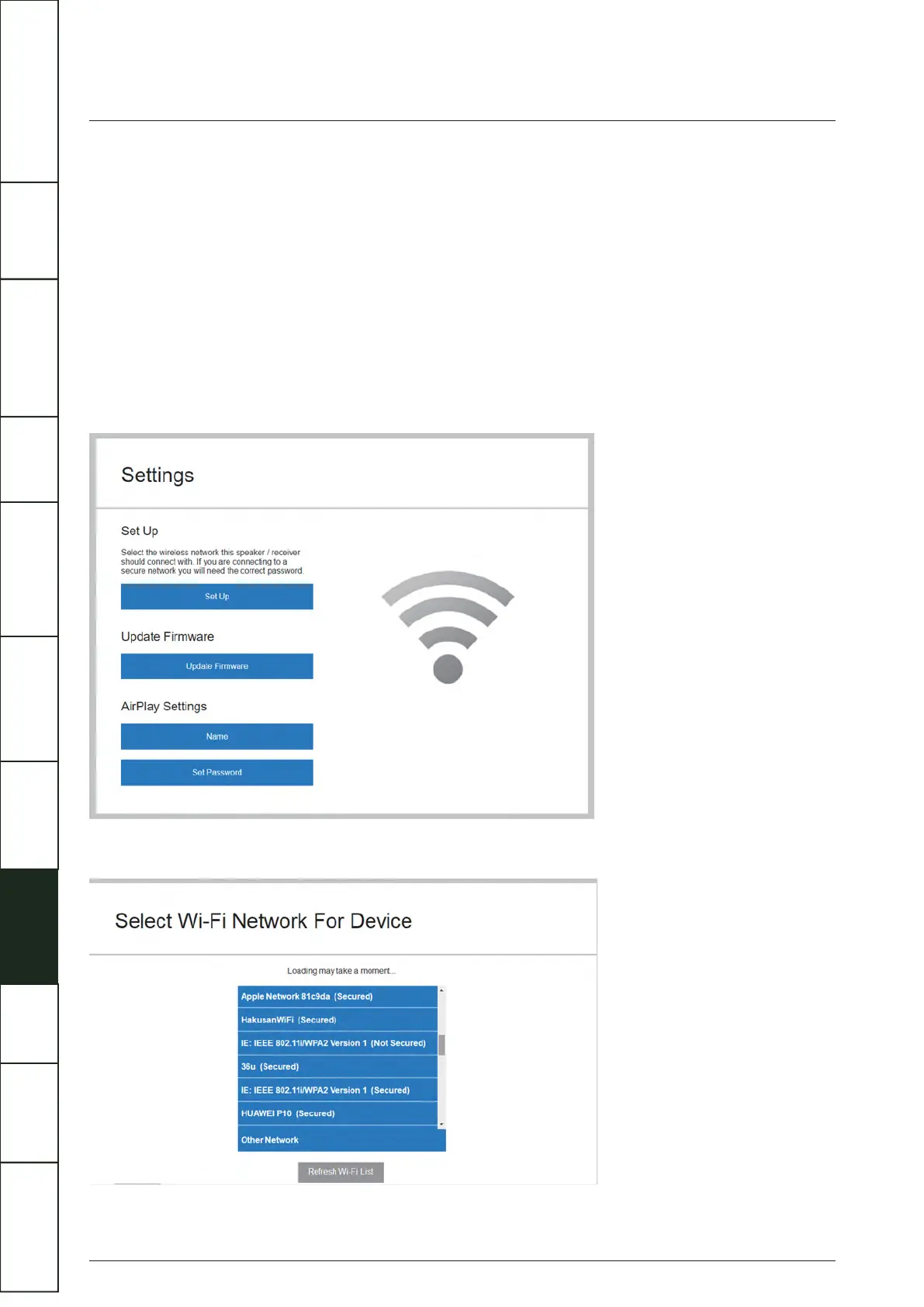
(4) This will open the Play-Fi configuration.
(5) Select the 'Set Up' button.
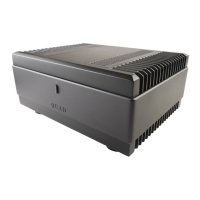
(6) Select your wireless router Wi-Fi network.
WI-FI CONNECTION SETUP USING A WINDOWS PC OR MAC
IMPORTANT
SAFETY INFORMATION
REMOTE
HANDSET
CONTROLS AND
FUNCTIONS
CONNECTIONS
SYSTEM
OPERATIONS
DTS PLAY-FI
®
WIRELESS...
MENU
OPTIONS
SPECIFICATIONS CONTENTSINTRODUCTION
WARRANTY
COVERAGE



 To Next Page