OPERATION
Switching On
The power supply input is via an IEC AC connector and an appropriate power lead is supplied. Connect the power leads to all
system components and then to the wall sockets ensuring that the power switches on all units and wall sockets are switched off.
Check that all leads are correctly installed. Switch on the AC supply to the source units and the power amplifier/s. All connected
unit/s will go to Standby and the Power LED/s on the front panel/s will indicate Red.
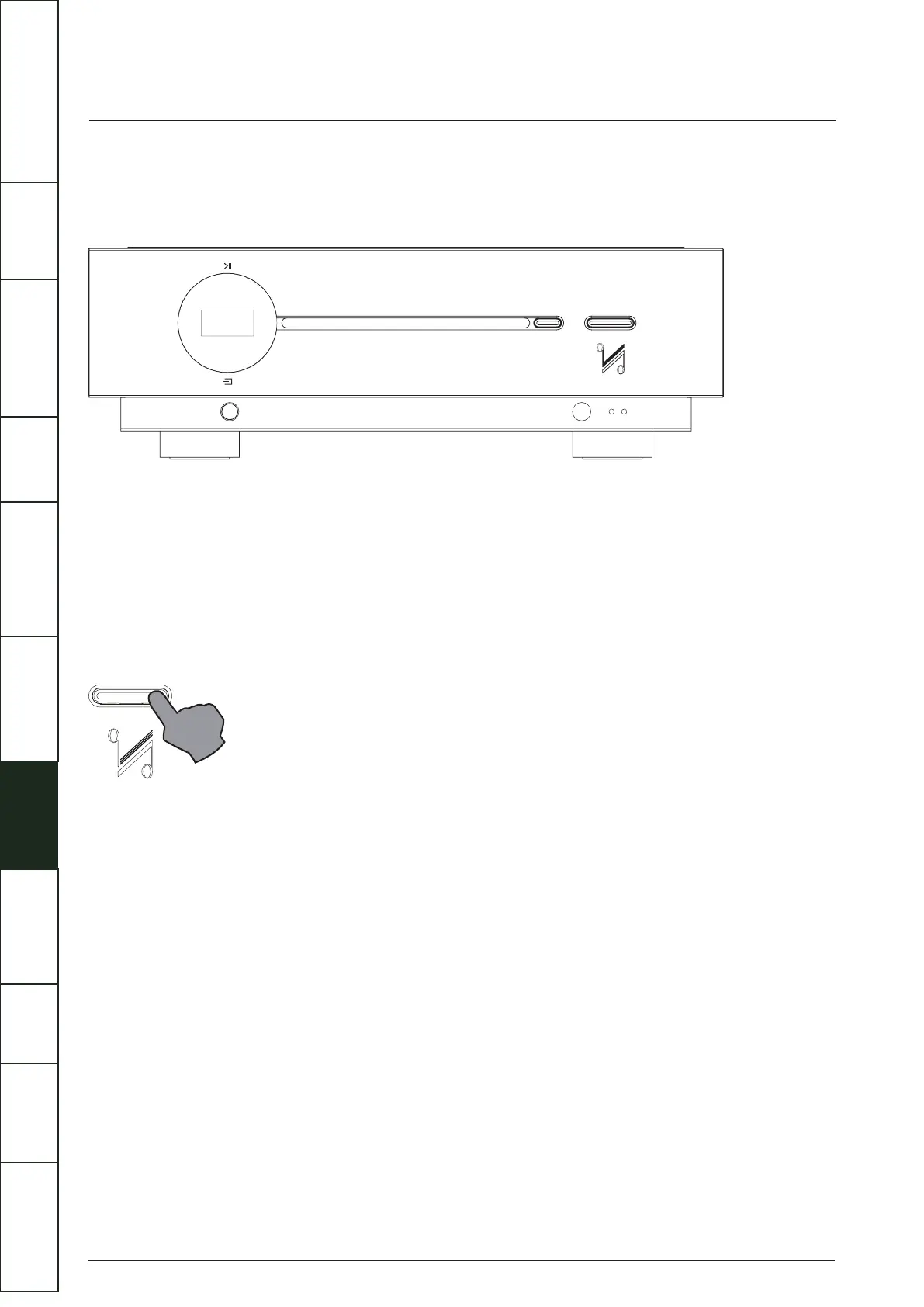
If the trigger system is connected: Press the Standby button on the Artera Solus Play or on the remote handset. The connected
Artera Stereo will go from Standby to “Active”. The Display of Artera Solus Play lights up.
Auto Standby Mode
Auto Standby mode is not active by default. Auto Standby is provided to offer low-power settings that save energy and can be
simply adjusted by using the Standby button. Press and hold the Standby button on the front panel while the unit is on for 3
seconds. “Auto Standby 20 Minutes” will appear briefly on screen and the Power LED will flash twice.
In status Auto Standby, Artera Solus Play will automatically go into standby mode when there is no signal input and operation for
20 minutes, or if the CD has not played for 20 minutes (or 1 hour depending on the user preference / setting)
To exit Auto Standby mode:
•
• Power Off and On again, Artera Solus Play will be reset.
12
Press and hold the Standby button on the front panel during the operating state for 3 seconds, “Auto Standby Never” will
appear briefly on screen and the Power LED will flash once, Artera Solus Play will disable Auto Standby mode.
IMPORTANT
SAFETY INFORMATION
REMOTE
HANDSET
CONTROLS AND
FUNCTIONS
CONNECTIONS
SYSTEM
OPERATIONS
DTS PLAY-FI
®
WIRELESS...
MENU
OPTIONS
SPECIFICATIONS CONTENTSINTRODUCTION
WARRANTY
COVERAGE



 To Next Page