The controller edit menu
In the controller edit menu the part parameters are summarized. Here you can choose how a
message received from a MIDI controller or stroke dynamic effect the characteristics of a sound.
You can assign to the modulation wheel (MIDI controller 1) and the after-touch to almost any
sound parameter.
If you find yourself in another edit menu, push [EXIT] twice. Push [EDIT] to get in the edit menu.
By using [PAGE<>] select page 2. The display shows:
Select Edit <5>
[Contr] [System]
Key velocity curve: menu page 1
Push [F1] to reach the controller edit menu. The display indicates the first menu page of the
controller menu:
Edit Part1 CONTR
|1> Velocity: 64
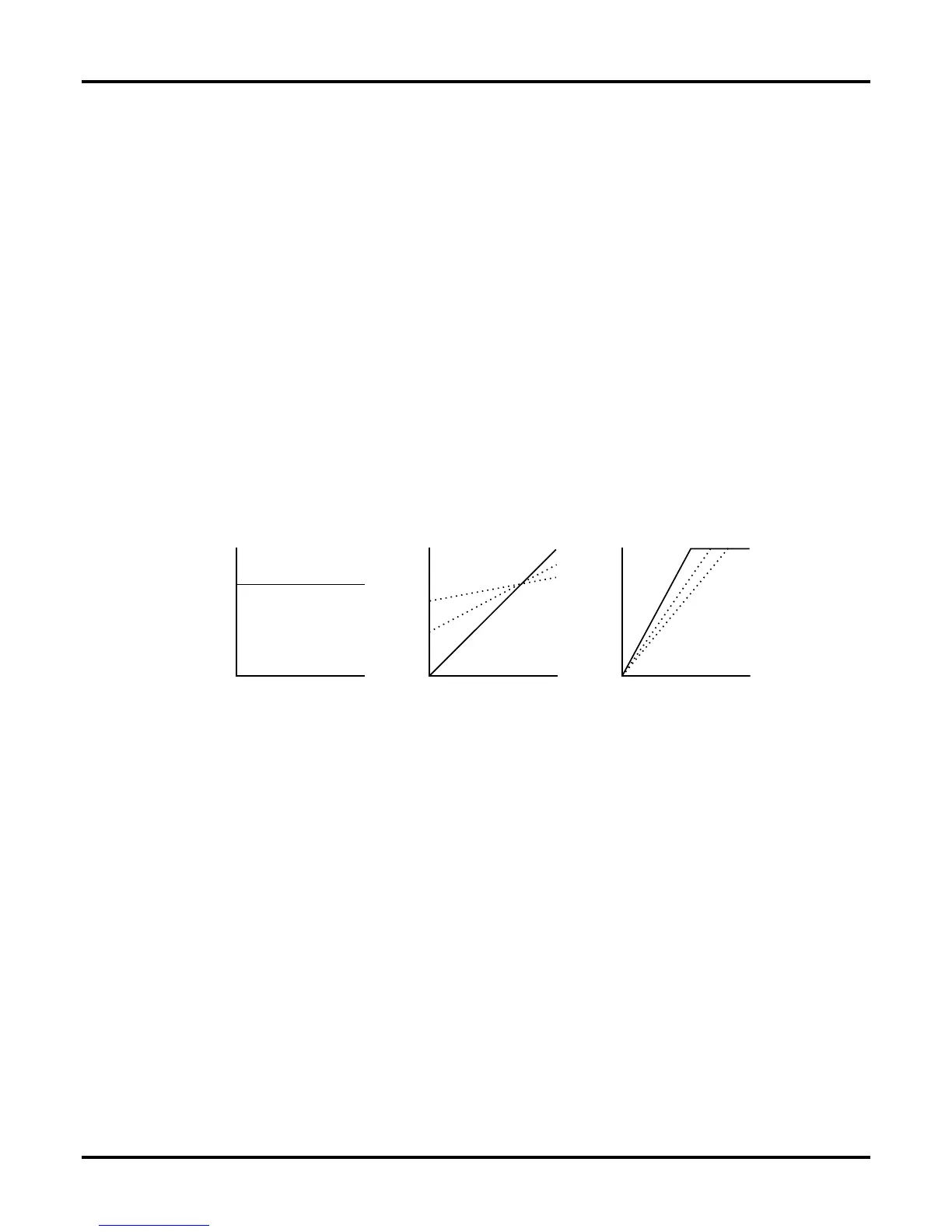
On this menu page you can influence the touch curve. The value "0" means, the sound does not
react to the played key dynamic value. At "64" you have a linear path. At 127 the touch curve is
moved up. Then you do not have to play harder (you don't need a dynamic value of 127) to reach
the highest touch value of the POLYMORPH.
Hold pedal: menu page 2
On the next menu page you can decide, if the selected part will be held out or not with the sustain
pedal (MIDI controller 64) of a connected keyboard:
Edit part1 CONTR
<2> Holdped: OFF
Pitch bender sensitivity: menu page 3
On the third page of the controller menus you can select, how strong the selected part is going to
react to the pitch-bending wheel of your connected MIDI Keyboard. The pitch bend range can be
changed in semitone steps with a range of up to 24 semitones up and down.
Edit Part1 CONTR
<3> PitchSns: +2
36
The Synthesizers of the POLYMORPH


 To Next Page