Ⅳ. Parameter setting and operation
10
4.4.1.1 Set New File Name(File Name)
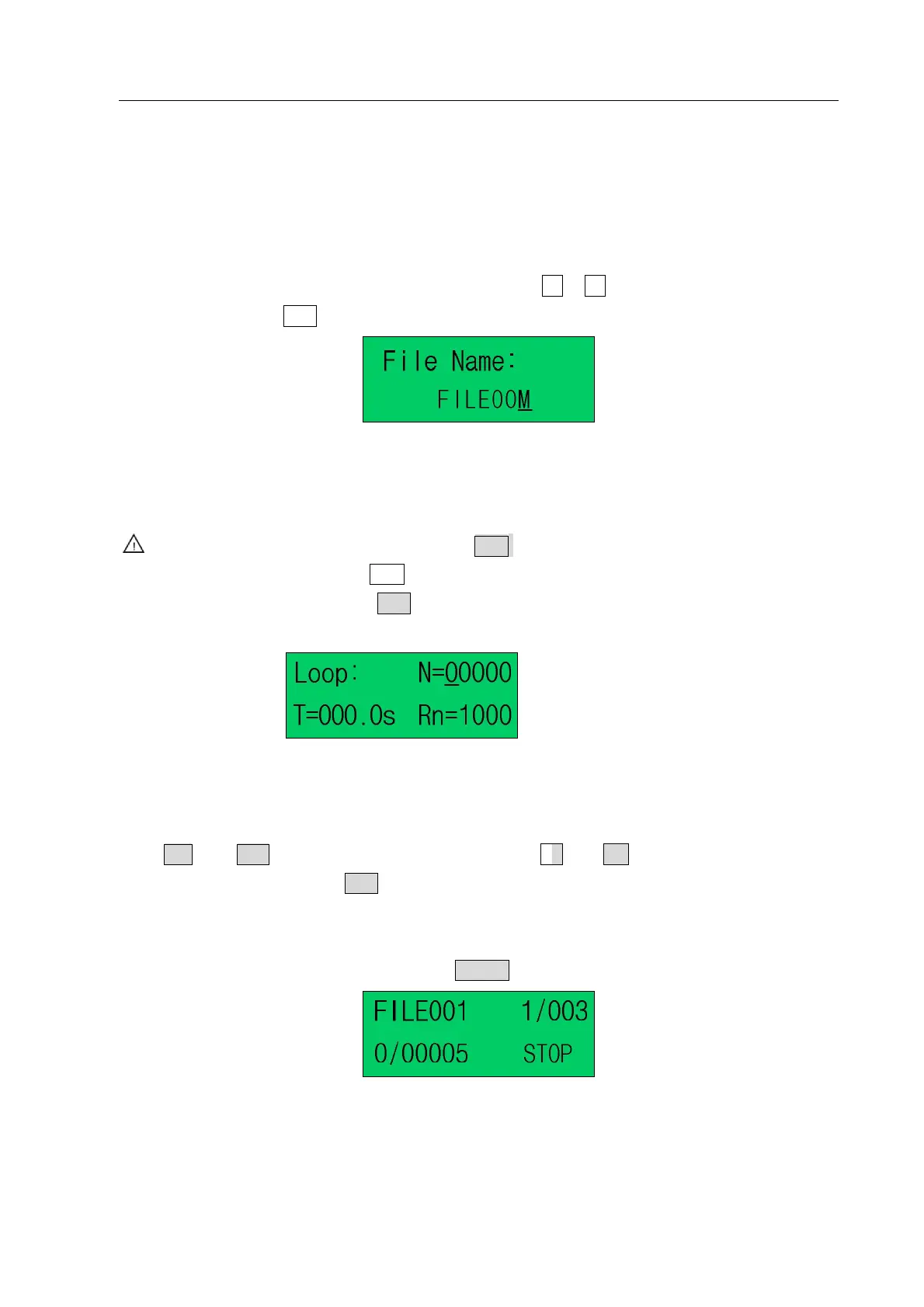
1. Firstly, set file name.
(1) File name is made up of “FILE” & “three numbers”. The “three number” can be any one of number
(0~9), capital character(A~Z)or blank space.
(2) Enter file named interface “File Name”, move the cursor among the three numbers by pressing “←” or
“→” key, select file name, and set the file name by pressing Z or Z key.
(3) After setting, press “ENT” to save the setting file name, and then enter the file loop parameters setting.
Pic.4-5: File Named Interface
4.4.1.2 Set Loop Processing Parameter
Caution: During parameters setting, press ENT to save the parameters and then enter the
next setting. Press ESC to exit the parameters settting.
1. After setting the file name, press “ENT” to save the file name and then enter the “loop–work parameter
setting interface”.
Pic.4-6: Loop–work Parameter Setting Interface
Maximal N, namely Max loop processing times, is 99999.
2. When setting, select digit by move the cursor under the digit. Move the cursor left or right by pressing
“ ” or “ ” key, and change the digit by pressing “Z ” or “Z ”.
3. After finishing adjust, press “ENT” to save the parameters and enter the next parameters setting. When
the “N=0000” or “N=0001”, without loop work processing and the file only processes one time.
4. After setting the loop work, the Processing Interface of Loop-work is as following (here, N=5, file 001
will work 5 times continuously after pressing “START”).
Pic.4-7: Processing Interface of Loop-work
N: Loop processing times set
T: Loop processing interval times set
Rn: Reset after loop N times



 To Next Page