Ⅳ. Parameter setting and operation
13
(1) 3
rd
Feeding: press “Z ”or “Z ” key to set.
(2) After setting, press “ENT” key to save and enter “3
rd
delay time setting (3
rd
Delay)”.
(3) After setting “3
rd
Delay”, press “ENT” key to save and enter the following “4
th
feeding parameter
setting.
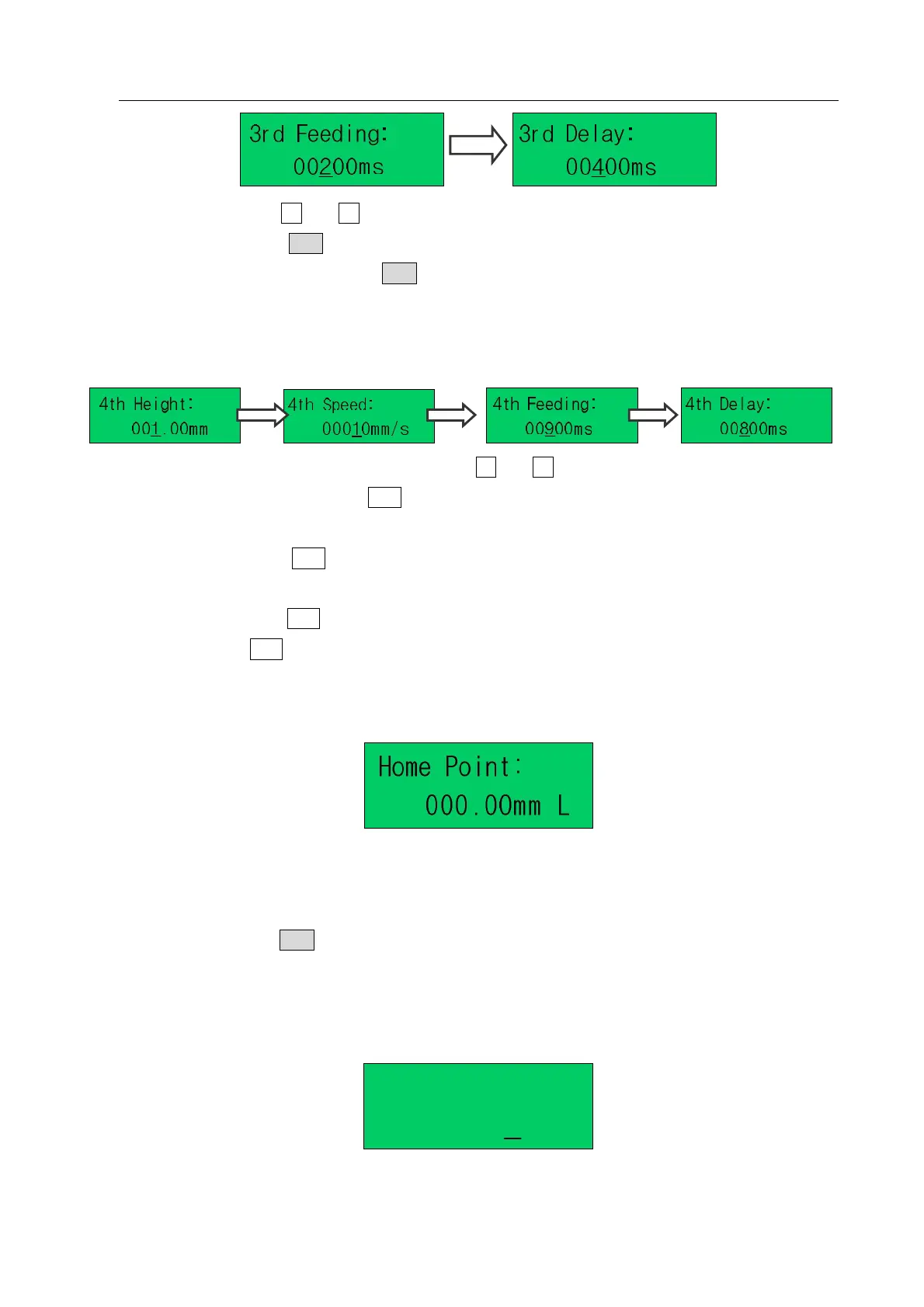
4. Fourth (4
th
) Feeding Parameter Setting
(1) 4
th
Height setting: set the 4
th
Height by pressing “Z” or “Z” key and the setting range is 0~100mm.
(2) After setting “4
th
Height”, press“ENT”key to save and enter “4
th
speed setting (4
th
Speed)”.
4
th
speed: it is the speed moving from work point to 4
th
height. And the setting range is 1~400mm/s.
(3) After setting, press “ENT” key to save and enter “4
th
feeding time setting interface (4
th
Feeding)”.The
setting method of 4
th
Feeding is as same as 4
th
Height.
(4) After setting, press“ENT” key to save and enter 4
th
Delay setting interface. After finish 4
th
delay time
setting, press “ENT” key to save and enter “Home Point” setting interface as following.
4.4.1.8 Home Point Setting
1. Home point setting: set the coordinate of the “Home Point”, which is corresponding to the working point
coordinate (Work Point). When the process starts, move from the “Home Point” to the “Work Point”.
After finishing the work, it returns to Work Point. “L” means the low moving speed.
2. After setting, press ENT to save the parameter and enter the “Clean Cycle setting interface” if selected
file is not clean file, or enter the “Clean Delay setting interface” if selected file is clean file.
4.4.1.9 Clean Cycle Setting
Clean Cycle:
0001
1. Clean Cycle: It means clean the tip after the setting cycle times. If clean cycle is 0000, it means not



 To Next Page