Ⅳ. Parameter setting and operation
12
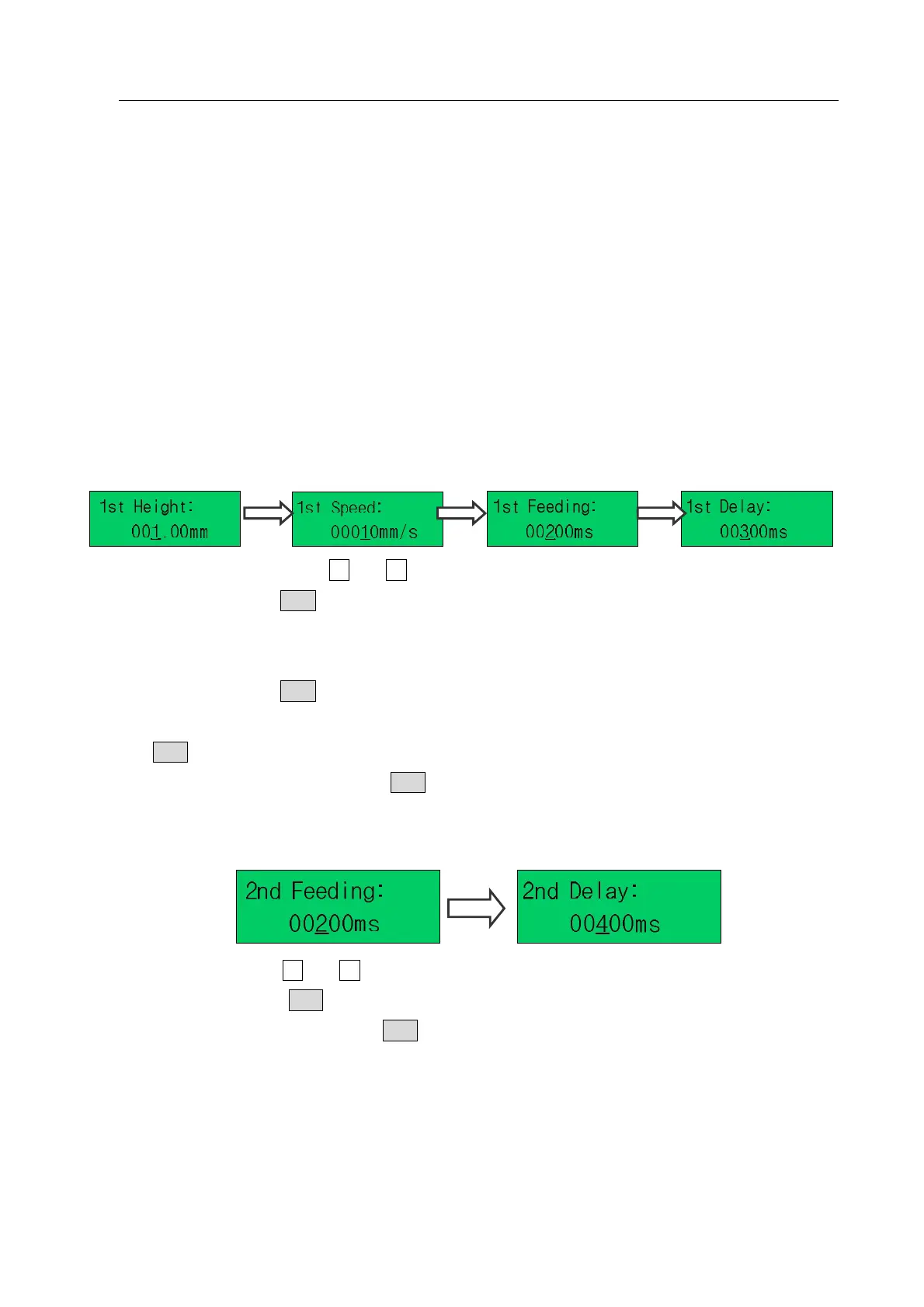
4.4.1.7 Set Feeding Parameters
“1
st
height” is the height at which it coats the fresh tin on the soldering tip.
“1
st
Feeding” is the feeding time ready to coat the fresh tin on the soldering tip.
“1
st
Delay” is the delay heating time of soldering.
Besides, it needs set “2
nd
Feeding” and “2
nd
Delay”. If the weld pad is difficult in coating tin, it also can set “3
rd
feeding” and “3
rd
delay”. If don’t set, the default value is 0.
“4
th
height” is the Lift up height of 4th soldering for avoiding sharp soldering point.
“4
th
feeding” is the feeding time of 4th tin on the soldering tip.
“4
th
delay” is the delay heating time of repair welding.
It is helpful to avoid soldering a sharply point by setting the parameters of “4
th
height”, “4
th
feeding” and “4
th
delay”.
1. First (1
st
) Feeding Parameter Setting
(1) “1
st
height” setting: press “Z ”or “Z ” key to set and the setting range is 0~100mm.
(2) After setting, press ENT to save setting parameter and enter “1
st
Speed”.
(3) 1
st
Speed: it is the moving speed from 1
st
feeding height (1
st
Height) to “Work point”. The setting range
is 1~400mm/s.
(4) After setting, press ENT to save setting parameter and enter “1
st
Feeding”.
(5) The setting method of Feeding time (1
st
Feeding) is the same as the “1
st
height”. After setting, press
ENT to save and enter “1
st
Delay”.
(6) Set the “1
st
Delay”. After that, press ENT to save and enter “2
nd
feeding parameter setting”.
2. Sec
on
d (2
nd
) Feeding Parameter Setting
(1) 2
nd
Feeding: press “Z ”or “Z ” key to set.
(2) After setting, press “ENT” key to save and enter “2
nd
delay time setting (2
nd
Delay)”.
(3) After setting “2
nd
Delay”, press “ENT” key to save and enter the following “3
rd
feeding parameter
setting.
3. Third (3
rd
) Feeding Parameter Setting



 To Next Page