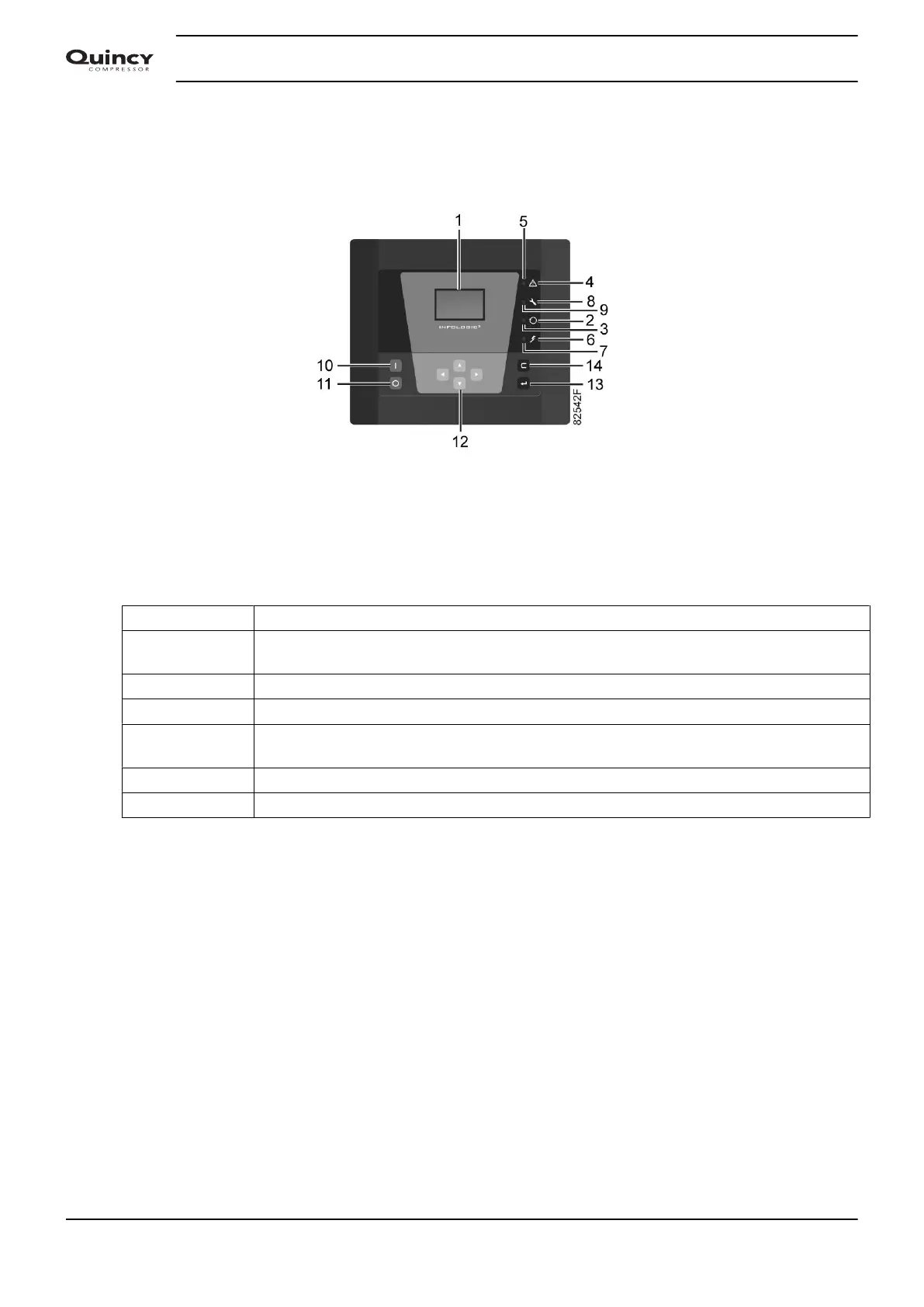
5.3 Starting
Control panel
Control panel
Procedure
To prevent that wet air gets into the compressed air circuit, it is advised to follow next procedure:
Step Action
1 Switch on the main supply to the dryer a few minutes before starting, to allow the Infologic²
and the flow switch to initialize.
2 If installed, close the dryer bypass valve and the dryer outlet valve (customers installation).
3 Open the dryer air inlet valve (customers installation) and pressurize the dryer.
4 Press start button (10).
After a few seconds the dryer is started.
5 Approximately 5 minutes later, open the dryer air outlet valve (customers installation).
6 Approximately 10 minutes later, the dew point will be stabilized.
Instruction book
48 2920 7103 90



 To Next Page