EasyManua.ls Logo

Quincy Compressor QMOD00008 - User Manual

Quincy Compressor QMOD00008
42 pages
Print Icon
To Next Page IconTo Next Page
Loading...
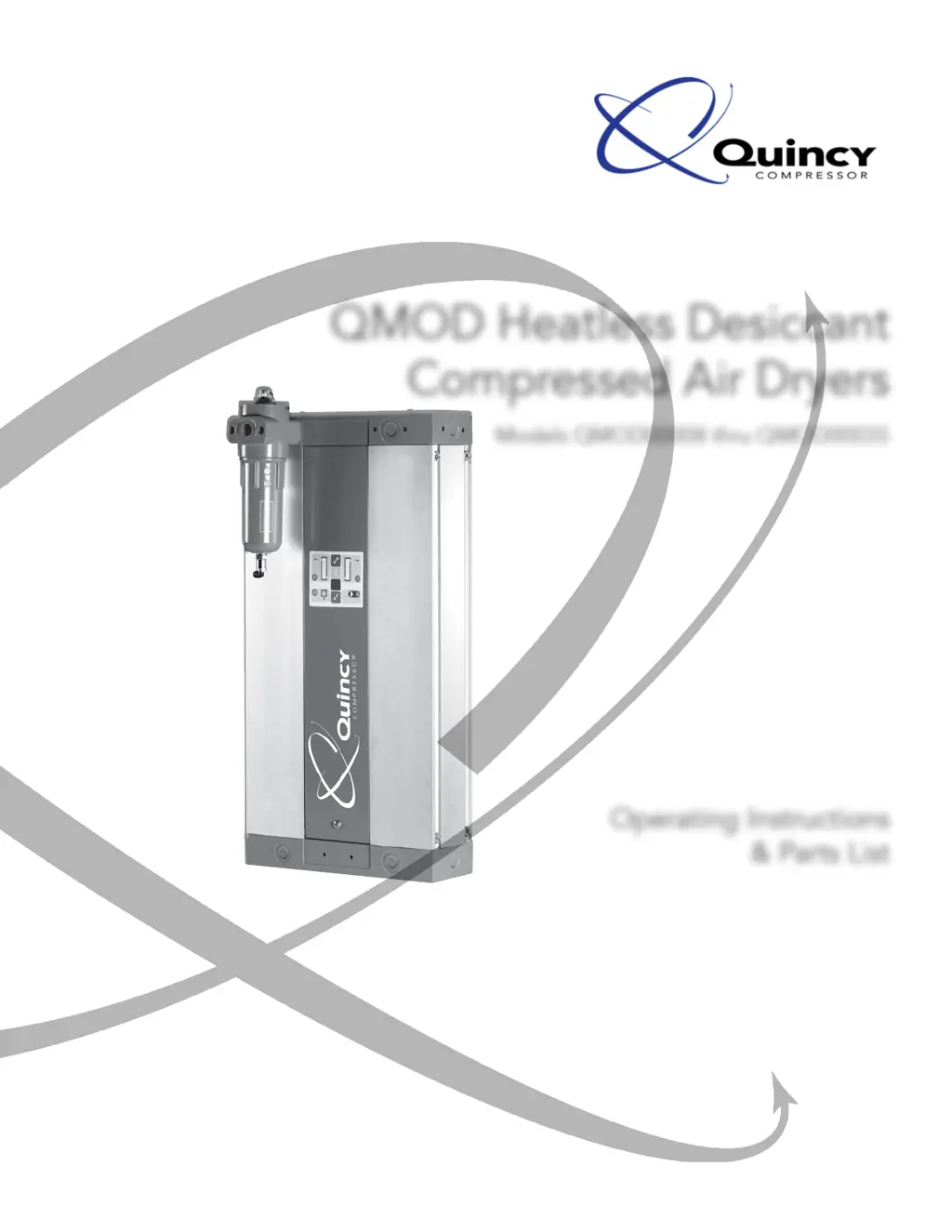
QMOD Heatless Desiccant
Compressed Air Dryers
Models QMOD00008 thru QMOD00035
Operating Instructions
& Parts List
This manual contains important safety information and should be made available to
all personnel who operate and/or maintain this product. Carefully read this manual
before attempting to operate or perform maintenance on this equipment.
Manual No. 65108-1A
December 2007 Edition

Questions and Answers

Summary

General Information

Safety Alert Symbols

Identifies hazards and their seriousness using specific symbols (Caution, Warning, Notice).

Safety Precautions

Excludes liability for damage/injury due to failure to follow manual instructions or misuse.

Warranties and Liabilities

Excludes claims for warranty/liability due to misuse, incorrect installation, operation, or maintenance.

Description

Introduction

Manual refers to product that must be read and understood before installation or use.

Dryer Operation

Explains how the dryer delivers compressed air and the cycle of operation.

Component Description

Details the main parts of the dryer, referencing an illustration.

Remote Fault Alarm

Describes the built-in relay for alarm connection and its function.

Energy Management Feature (EM)

Explains the purpose of saving energy by reducing compressed air consumption.

Energy Management Memory Retention

Explains the feature allows the dryer to remember its operating cycle point during low demand.

Installation

Connecting the Pre-filter

Instructions for fitting the pre-filter, tubing, and piping condensate.

Installation

Provides correct and wrong installation examples for environmental and pressure conditions.

Installing the Dryer in a Horizontal Position

Guidance on installing the dryer horizontally, focusing on the inlet filter.

Port Configuration

Shows default port configuration and how to change it by rotating the manifold.

Electrical Supply

Details power supply requirements, voltage options, and fuse connection.

Energy Management and PC Interface

Explains how to interface the controller with a PC for monitoring and settings.

Connecting the PC to the Controller

Steps to connect the PC to the dryer controller using a serial port.

PC Requirements

Lists the operating system requirements for the controller application software.

Energy Management Connection

Details how to connect an external switching device to the EM DIN plug.

Alarm Connection

Instructions for connecting an alarm device to the controller's alarm DIN connector.

Operating Procedures

Start-up Procedure

Step-by-step guide to start the dryer, including valve operations and power sequence.

Starting the Interface Program

Instructions on launching the dryer application software and establishing communication.

Programming the Dryer

How to change default settings, program SFD, and check real-time view.

Energy Management Application Selection

Guide to selecting the correct energy management mode based on application type.

Interface Screen

Explains the functions of Read SFD, Program SFD, and Real Time View screens.

Energy Management Setup

Details how to set up energy management, including delay times and system types.

Servicing

Service and Fault Diagnosis

Visual guide to diagnosing faults using display panel LEDs and their meanings.

Service Shutdown

Steps to safely shut down the dryer before maintenance.

Servicing and Maintenance

Outlines service intervals and available service kits (Kit A, Kit B).

Removing and Replacing the Front Panel

Step-by-step instructions with images for removing and refitting the front panel.

Purge Plug Removal

Instructions for removing, cleaning, and reinstalling the purge plug.

Cleaning the Silencer

Procedure for cleaning the silencer, emphasizing proper drying before re-installation.

Replacing the Diaphragm

Steps to disconnect tubing, remove diaphragm assembly, and reassemble.

Changing the Desiccant Cartridges

Procedures for replacing desiccant cartridges in both towers and proper disposal.

Resetting the Controller

How to reset the controller using a reset disc after service.

Troubleshooting

General Troubleshooting

General points to verify before specific fault identification and a table of common problems.

Electrical Troubleshooting

Table listing electrical problems, causes, priority, location, and actions.

Technical Data

Environmental Conditions

Specifies operating conditions like indoor use, altitude, temperature, and humidity limits.

Specifications

Provides a Dryer Sizing Table with model, pipe size, capacity, and dimensions.

Pressure and Temperature Correction Factors

Tables for pressure and temperature correction factors to adjust flow rates.

Schematic Wiring and Fault Diagrams

Presents wiring diagrams and fault diagrams for the dryer system.

Repair & Replacement Parts

Dryer Models and Capacity

Lists QMOD dryer models with their pipe size and air capacity (SCFM).

Spare Parts and Options

Details part numbers, descriptions, and applicable dryer assemblies for spare parts.

Service Kits

Lists and describes available service kits for valve maintenance and 12,000/24,000 hour services.

Standard Terms and Conditions

Legal Effect and Buyer Rights

Outlines the legal enforceability of terms and conditions and buyer's rights.

Terms of Payment

Details payment terms, including net cash, late payments, and interest.

Taxes

States that prices exclude taxes, which are the buyer's responsibility.

Acceptance and Delivery

Covers quotation acceptance, FOB shipping point, and delivery estimates.

Title and Lien Rights

Defines ownership and repossession rights until full payment is made.

Patent Infringement

Seller's responsibility for defending against patent infringement claims.

Standard Warranty

Details the product warranty period, exclusions, and limitations.

Liability Limitations

Excludes liability for liquidated damages, consequential, or special damages.

Summary

General Information

Safety Alert Symbols

Identifies hazards and their seriousness using specific symbols (Caution, Warning, Notice).

Safety Precautions

Excludes liability for damage/injury due to failure to follow manual instructions or misuse.

Warranties and Liabilities

Excludes claims for warranty/liability due to misuse, incorrect installation, operation, or maintenance.

Description

Introduction

Manual refers to product that must be read and understood before installation or use.

Dryer Operation

Explains how the dryer delivers compressed air and the cycle of operation.

Component Description

Details the main parts of the dryer, referencing an illustration.

Remote Fault Alarm

Describes the built-in relay for alarm connection and its function.

Energy Management Feature (EM)

Explains the purpose of saving energy by reducing compressed air consumption.

Energy Management Memory Retention

Explains the feature allows the dryer to remember its operating cycle point during low demand.

Installation

Connecting the Pre-filter

Instructions for fitting the pre-filter, tubing, and piping condensate.

Installation

Provides correct and wrong installation examples for environmental and pressure conditions.

Installing the Dryer in a Horizontal Position

Guidance on installing the dryer horizontally, focusing on the inlet filter.

Port Configuration

Shows default port configuration and how to change it by rotating the manifold.

Electrical Supply

Details power supply requirements, voltage options, and fuse connection.

Energy Management and PC Interface

Explains how to interface the controller with a PC for monitoring and settings.

Connecting the PC to the Controller

Steps to connect the PC to the dryer controller using a serial port.

PC Requirements

Lists the operating system requirements for the controller application software.

Energy Management Connection

Details how to connect an external switching device to the EM DIN plug.

Alarm Connection

Instructions for connecting an alarm device to the controller's alarm DIN connector.

Operating Procedures

Start-up Procedure

Step-by-step guide to start the dryer, including valve operations and power sequence.

Starting the Interface Program

Instructions on launching the dryer application software and establishing communication.

Programming the Dryer

How to change default settings, program SFD, and check real-time view.

Energy Management Application Selection

Guide to selecting the correct energy management mode based on application type.

Interface Screen

Explains the functions of Read SFD, Program SFD, and Real Time View screens.

Energy Management Setup

Details how to set up energy management, including delay times and system types.

Servicing

Service and Fault Diagnosis

Visual guide to diagnosing faults using display panel LEDs and their meanings.

Service Shutdown

Steps to safely shut down the dryer before maintenance.

Servicing and Maintenance

Outlines service intervals and available service kits (Kit A, Kit B).

Removing and Replacing the Front Panel

Step-by-step instructions with images for removing and refitting the front panel.

Purge Plug Removal

Instructions for removing, cleaning, and reinstalling the purge plug.

Cleaning the Silencer

Procedure for cleaning the silencer, emphasizing proper drying before re-installation.

Replacing the Diaphragm

Steps to disconnect tubing, remove diaphragm assembly, and reassemble.

Changing the Desiccant Cartridges

Procedures for replacing desiccant cartridges in both towers and proper disposal.

Resetting the Controller

How to reset the controller using a reset disc after service.

Troubleshooting

General Troubleshooting

General points to verify before specific fault identification and a table of common problems.

Electrical Troubleshooting

Table listing electrical problems, causes, priority, location, and actions.

Technical Data

Environmental Conditions

Specifies operating conditions like indoor use, altitude, temperature, and humidity limits.

Specifications

Provides a Dryer Sizing Table with model, pipe size, capacity, and dimensions.

Pressure and Temperature Correction Factors

Tables for pressure and temperature correction factors to adjust flow rates.

Schematic Wiring and Fault Diagrams

Presents wiring diagrams and fault diagrams for the dryer system.

Repair & Replacement Parts

Dryer Models and Capacity

Lists QMOD dryer models with their pipe size and air capacity (SCFM).

Spare Parts and Options

Details part numbers, descriptions, and applicable dryer assemblies for spare parts.

Service Kits

Lists and describes available service kits for valve maintenance and 12,000/24,000 hour services.

Standard Terms and Conditions

Legal Effect and Buyer Rights

Outlines the legal enforceability of terms and conditions and buyer's rights.

Terms of Payment

Details payment terms, including net cash, late payments, and interest.

Taxes

States that prices exclude taxes, which are the buyer's responsibility.

Acceptance and Delivery

Covers quotation acceptance, FOB shipping point, and delivery estimates.

Title and Lien Rights

Defines ownership and repossession rights until full payment is made.

Patent Infringement

Seller's responsibility for defending against patent infringement claims.

Standard Warranty

Details the product warranty period, exclusions, and limitations.

Liability Limitations

Excludes liability for liquidated damages, consequential, or special damages.

Quincy Compressor QMOD00008 Specifications

General IconGeneral
BrandQuincy Compressor
ModelQMOD00008
CategoryDehumidifier
LanguageEnglish

Related product manuals