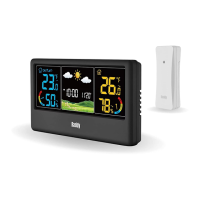
WF-60C WEATHER STATION
Press and hold the【CH】button to clear all sensors data and re-search
for RF signal from the remote sensors again. While the unit is searching
for signal, the signal icons on the outdoor channel dashboard will keep
flashing.
If you want to change the channel of the remote sensor, remove the
batteries from the sensor, toggle the channel selection on the sensor,
install the batteries, and then repeat step 1 on the main unit.
Note: If the unit is in searching for RCC signal, long press the【+/RCC】
button to exit the RCC Receiving Mode first. Otherwise, the unit won’t
respond to the【CH】button.
1.
2.
REMOTE SENSOR RECONNECTION
Every day at 1:00 AM, 2:00 AM, 3:00 AM, 4:00 AM, and 5:00 AM, the
clock will automatically carries out the synchronization procedure to
correct any deviations to the exact time if the Daily RCC Reception is
enabled. The signal searching lasts 7 minutes once a time. If the signal is
received successfully once, the remaining RCC signals on that day will be
ignored. If no signal is received in the scheduled time, the signal searching
will be stopped for today.
Press and hold the【SET】button to enter the Setting Mode, the
language display flashes.
Short press the【SET】button 6 times and use the【+/RCC】or【-】
button to select “ON”/”OFF” for the Daily RCC Reception.
Short press the【SET】button to save and go to the next item setting.
If you choose “OFF”, the unit will go to the Calendar Year Setting. If you
choose “ON”, the unit will go to the RCC Time Zone Calibration.
Use the【+/RCC】and【-】button to select the time zone deviation
1. Turn On/Off the Daily Auto RCC Reception:
RCC SIGNAL RECEPTION
①
②
③
④
08


 To Next Page