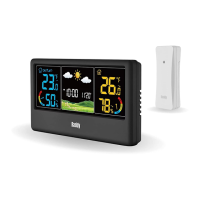
WF-60C WEATHER STATION
When alarm is ringing, press the【SNOOZE/ LIGHT】button to activate
the snooze mode. The alarm will ring again after 5 minutes, and the
“ZZ” icon will be flashing on screen to indicate the snooze mode. The
Snooze mode can be repeated if you press the【SNOOZE/ LIGHT】
button again next time when the alarm rings.
The Alarm will make sound as follow:
0-10 seconds: Beep per second
11-20 seconds: Beep x2 per second
21-30 seconds: Beep x4 per second
31-120 seconds: Keep Beeping
2.
3.
In standard mode, press the【MEM】button to check maximum
temperature and humidity record, the value will display for 5 seconds.
Press the【MEM】button a second time to check the minimum
temperature and humidity record, the value will display for 5 seconds.
Press the【MEM】button a third time will return to standard mode.
Press and hold the【MEM】button will clear the max and min record
and reactivate the memory.
Normally, the Max and Min record will update every 24 hours at 00:00 AM.
1.
2.
3.
4.
5.
MAX AND MIN RECORD
About Remote Sensor: When the battery indicator icon appears next to
the outdoor temperature, replace the batteries for the corresponding
remote sensor.
About Cell Battery in Main Unit: The cell battery is only for memorizing
the setting during a sudden power outage. When battery indicator icon
appears next to the indoor temperature, replace the batteries for the main
unit.
1.
2.
LOW BATTERY INDICATORS
14


 To Next Page