PAGE 12
Idle Display
Set the standby mode.
1. Scan Display: A moving red scan graph is displayed.
2. Time Display: The current time is displayed. User
can select 12hr or 24hr in the menu.
3. Smart Dark, Dark: Shows only one dot on the right
bottom side. Smart dark only operates when the
button clicks and it alerts. In Smart Dark mode, the
display turns on and the brightness level is changed
to the brightness setting in the brightness mode
when a button is pressed or an alert goes off.
Sub Display
Set the display information that is located on the upper
left side.
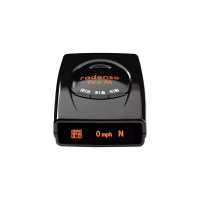
1. Speed: Shows your current speed.
2. Speed + Compass: Shows your current speed and
direction.
3. Compass: Shows your current direction.
4. Altitude: Shows your current altitude.
5. Off: Displays nothing.
Alerts
1. Laser Alert: The display will show "Laser" to alert
you of a Laser threat.
2. MRCD Alert: The display will show "MRCD" to alert
you of a MRCD threat.
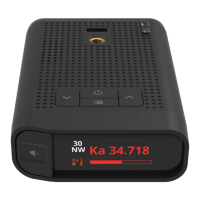
3. Radar Alert: The display will show the radar band
and frequency to alert you of a radar threat.
4. Threat Display: The display will show the radar
band and frequency to alert you of a radar threat.
5. App Connected by Bluetooth: The display will
show a bluetooth symbol in the left bottom corner
6. Lockout Display: in the right bottom corner,
"Lockout" will show in green while within the radius
DISPLAYS


 To Next Page