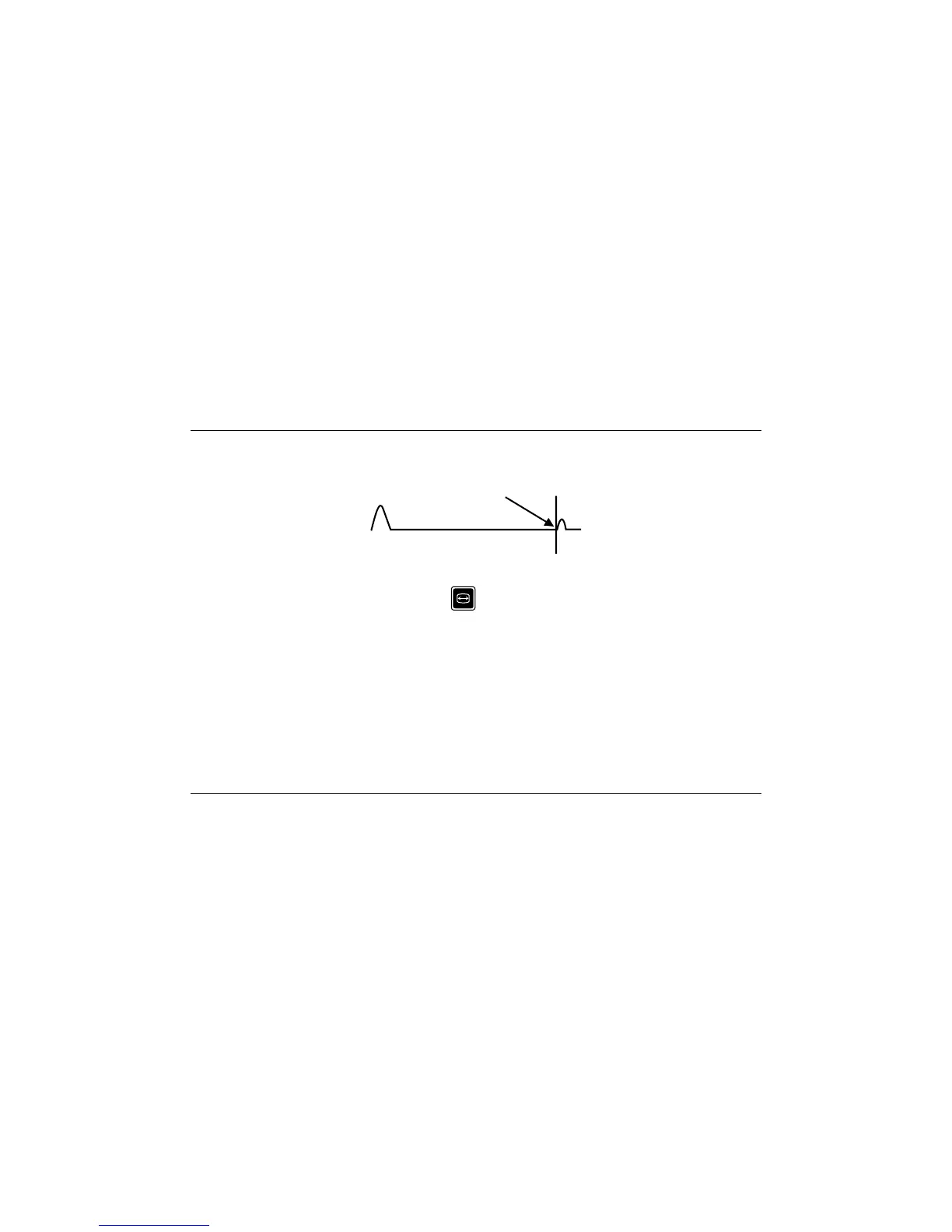
Adjust the Right Handcursor controlsto bring the RH cursor tothe pointat whichthe start of the
reflected pulse just leaves the horizontal as shown.
The distance to the fault is as indicated on the LCD.
For closer examination, press ZOOM to expand the trace and reposition the cursor more
precisely.
Remember to subtract the length of the test lead if used.
7.7 USE OF THE LEFT HAND CURSOR
The left hand cursor can be moved to:
1. Eliminate the length of the test lead.
2. Measure between any two features on the trace.
3. When moved the LH cursor becomes the live cursor and changes to a solid line, with the
RH cursor becoming a broken line.
Radiodetection Ltd. 00901209-6
T631 OPERATING MANUAL 28






 To Next Page