
 Need help?
Do you have a question about the Radiodetection PCMx and is the answer not in the manual?
Introduction to the operation manual and system.
Key warnings, cautions, and safety precautions for system use.
Guidelines for safe handling, charging, and disposal of batteries.
Guidelines for environmentally responsible disposal of waste equipment.
Information on training services and EU declaration of conformity.
Introduction to the manual and an overview of the PCMx system.
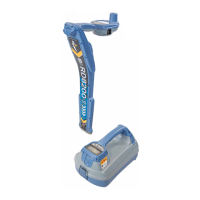
Key features of the PCMx system and its transmitters.
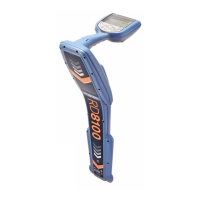
Description of the PCMx locator and mobile applications.
Procedures for equipment safety checks and calibration.
Introduction to Tx-25 and Tx-150 PCM transmitters.
Identification and description of control panel elements.
Key features and components of the PCM transmitters.
Controls for frequency selection and operating modes.
How to select appropriate current output levels for surveys.
Understanding transmitter status and warning signals.
Display information and various power supply options.
Guidance on using portable transmitters for surveys.
Description of locator features and keypad layout.
Visual guide to locator components and controls.
Explanation of symbols displayed on the locator screen.
Detailed explanation of each screen icon.
Accessing software revision and system menu settings.
Information on battery types, level indication, and charging.
Step-by-step guide to charging the Li-ion battery.
How to open and access the battery compartment.
Procedures for removing and installing Li-ion and D-cell batteries.
How to connect the Li-ion battery pack.
Performing self-tests and managing Bluetooth connections.
Selecting antenna modes and operating frequencies.
Measurement of depth, locate current, and GPS functionality.
Procedures for taking and saving survey measurements.
Methods for uploading and erasing stored survey data.
How to review saved logs and overwrite existing data.
Safety precautions and connecting to a cathodic protection rectifier.
Step-by-step guide for connecting the transmitter.
Connecting the transmitter when a rectifier is unavailable.
Using test points and anodes for grounding.
Techniques for accurate line location and validation.
Using Peak+ mode for accurate pipe positioning.
Features for depth, direction, and types of PCMx surveys.
Understanding Alternating Current Current Attenuation surveys.
Using ACVG for coating condition assessment and defect pinpointing.
Step-by-step guide for conducting an ACVG survey.
Method to determine fault severity using A-Frame.
Procedure for conducting combined ACCA and ACVG surveys.
Fundamental techniques for pipeline current mapping.
Understanding current distribution in various pipeline configurations.
Understanding pipeline defects and interpreting readings.
Visualizing coating condition from current loss graphs.
Analyzing signal interference from parallel pipes.
Identifying pipe shorts and contact issues.
Demonstrates parallel pipeline interference and shorts.
Analyzing results from parallel pipe surveys.
Analyzing angled pipes and interference from other services.
Locating bonding cables and parallel pipe interference.
Overview of results interpretation and error avoidance.
Causes and indicators of signal distortion.
Factors affecting results: interference, locate current, and PCMx current.
Understanding classical survey responses and graph analysis.
Factors affecting results and practical interpretation.
Using dBmA for enhanced analysis of current loss.
Visualizing and analyzing current loss using dBmA.
Overview of PC and mobile applications for data management.
Guidelines for equipment care, cleaning, and regular service.
Recommendations for transportation and software upgrades.
Precautions for cleaning and avoiding disassembly.
Details on standard and extended warranty coverage.
 General
| Frequencies | 512Hz, 640Hz, 8kHz, 33kHz |
|---|---|
| IP Rating | IP65 |
| Operating Temperature | -20°C to 50°C |
| Depth Measurement Range | 0 to 10m (0 to 30’) |
| Storage Temperature | -40°C to 70°C |
| Depth Accuracy | ±5% of depth |





 To Next Page
