MiniRAE 3000 User’s Guide
20
Operating The Instrument
The instrument is designed as a broadband VOC gas monitor and
datalogger for work in hazardous environments. It gives real-time
measurements and activates alarm signals whenever the exposure
exceeds preset limits. Prior to factory shipment, the instrument is preset
with default alarm limits and the sensor is pre-calibrated with standard
calibration gas. However, you should test the instrument and verify the
calibration before the first use. After the instrument is fully charged and
calibrated, it is ready for immediate operation.
Turning The Instrument On
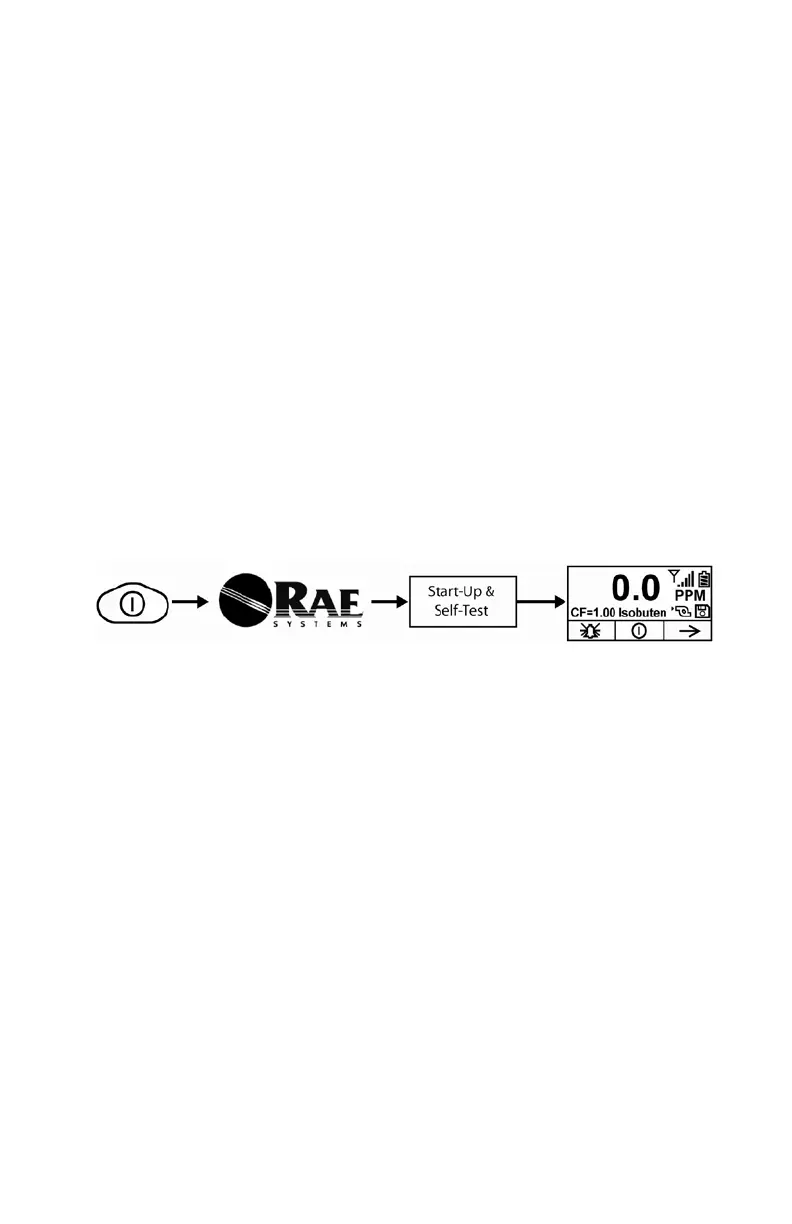
1. With the instrument turned off, press and hold [MODE].
2. When the display turns on, release the [MODE] key.
The RAE Systems logo should appear first. (If the logo does not
appear, there is likely a problem and you should contact your
distributor or RAE Systems Technical Support.) The instrument is now
operating and performs self tests. If any tests (including sensor and
memory tests fail), refer to the Troubleshooting section of this guide.
Once the startup procedure is complete, the instrument shows a
numerical reading screen with icons. This indicates that the instrument
is fully functional and ready to use.



 To Next Page