MiniRAE 3000 User’s Guide
48
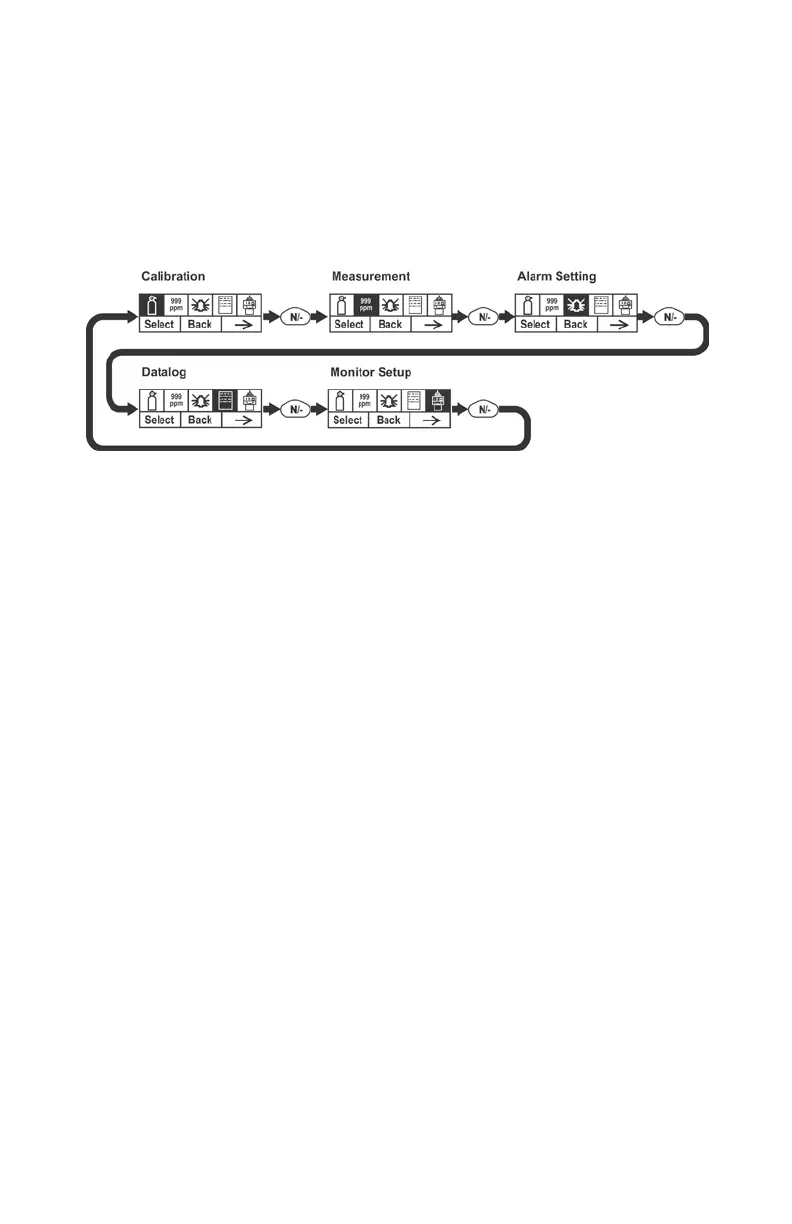
The Calibration label is shown and its icon is highlighted, but you can
press [N/-] to step from one programming menu to the next, with the
name of the menu shown at the top of the display and the
corresponding icon highlighted. As you repeatedly press [N/-], the
selection moves from left to right, and you see these screens:
Note: When you reach Monitor Setup and press [N/-], the menu cycles
back to Calibration.
Programming Mode Menus
The Programming Mode allows anyone with the password to change
the instrument’s settings, calibrate the instrument, modify the sensor
configuration, enter user information, etc. Programming Mode has five
menus. Each menu includes several sub-menus to perform additional
programming functions.
This table shows the menus and sub-menus:


 To Next Page