MiniRAE 3000 User’s Guide
77
3. Press [MODE] when you want to register your selection to
place the instrument in the selected mode.
4. Press [Y/+] to commit the change and exit to the Monitor Setup
screen, or press [N/-] to Undo (exit to the Monitor Setup screen
without changing the Mode).
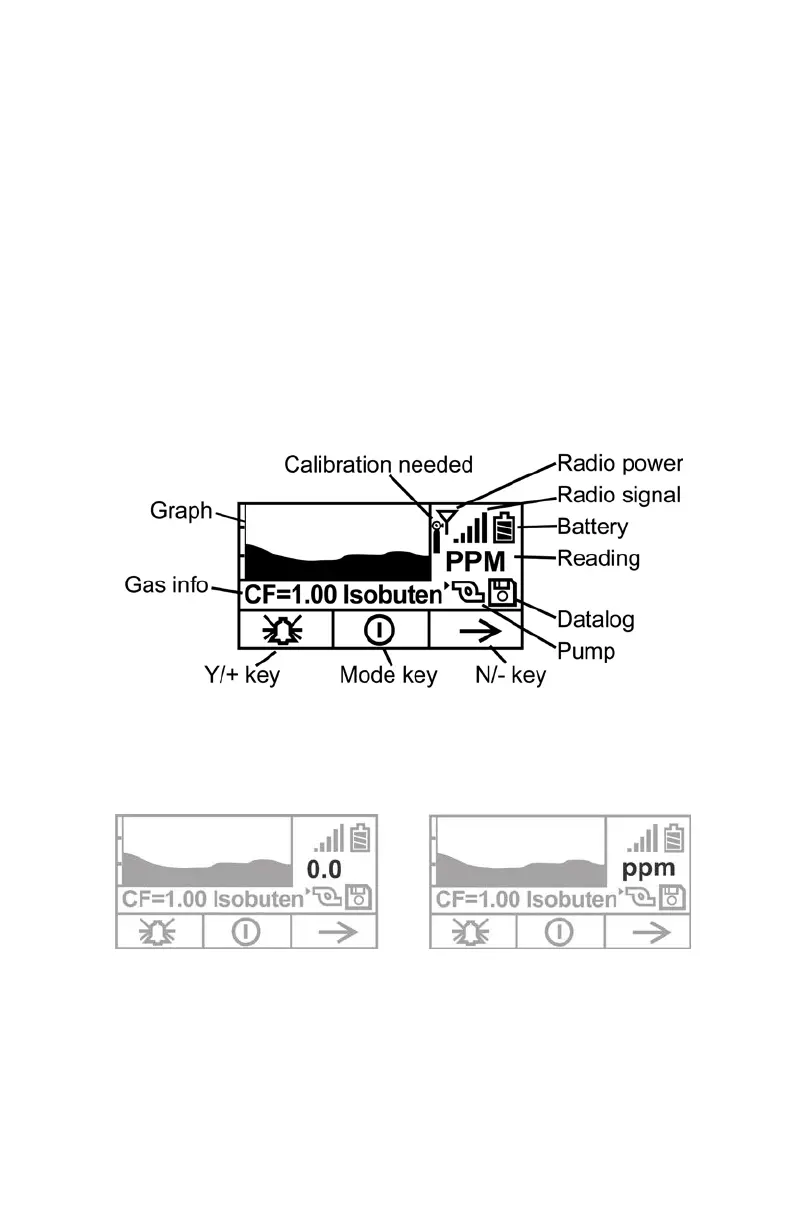
Optional Graphic Screen In Search Mode
Using ProRAE Studio, you can set your instrument to show a graphic
display instead of a numeric display of ongoing data. Consult your
ProRAE Studio disc for information.
During sampling, the display’s readings are shown numerically, plus
the graph tracks the highest readings over time. The numeric reading
alternates between the value and the measurement units, as well:



 To Next Page