3.2 Basic Setting
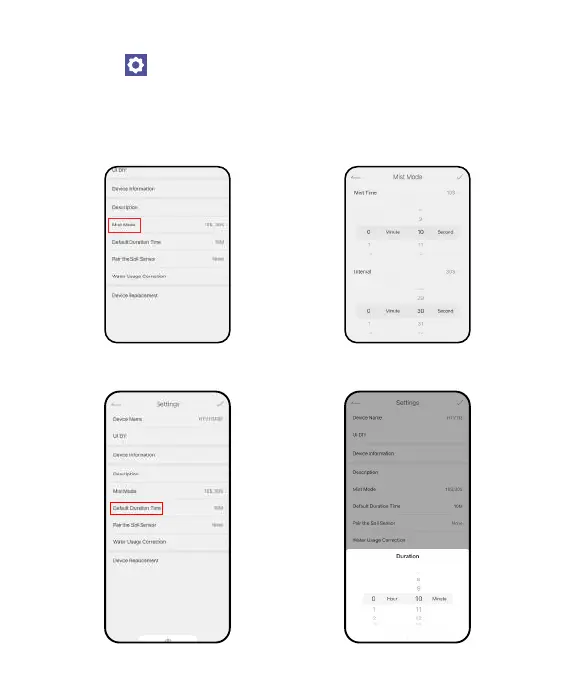
Find the icon on the top right corner of the APP home page to "Settings "
page. In the basic settings, you can check and manage the device information,
such as name, inteace and description. There are also some advanced settings
you can Set up for the specic functions:
Cycle & Soak: Set the mist time and inteal time for manual misting mode.
Default Duration Time: Set the default watering duration for manual
irrigation mode.
- 08 -



 To Next Page