EasyManua.ls Logo

RainPoint HTV213FRF - User Manual

RainPoint HTV213FRF
22 pages
Print Icon
To Next Page IconTo Next Page
Loading...
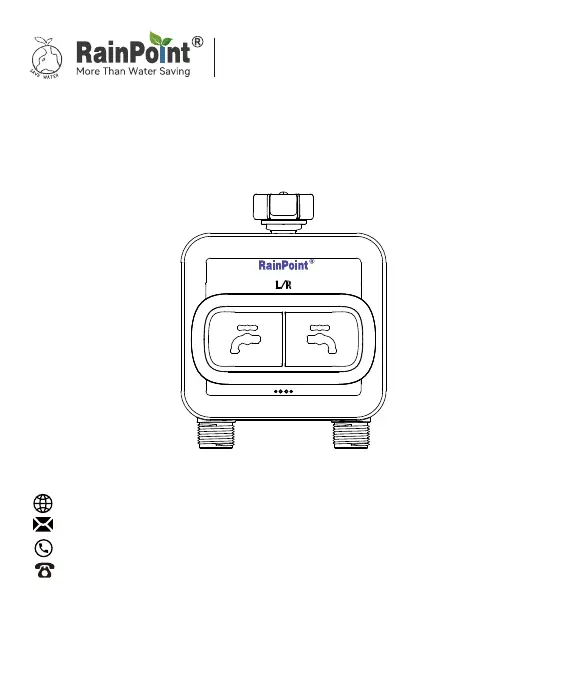
HTV213FRF
USER MANUAL
2-Zone Water Timer
Sma Garden Irrigation System
+
Web: www.rainpointonline.com
Email:seice@rainpointus.com
WhatsApp: +1 626-780-5952
US Free Hotline(English): +1 833-381-5659
(MON-FRI 9�30 AM-5�30 PM PST)
EU Free Hotline(English Deutsch): +44 800-808-5337
(MON-FRI 9�00 AM-5�00 PM CET )

Questions and Answers

  • E
    Erin SmithAug 7, 2025
    What to do if my RainPoint HTV213FRF hub can’t connect?
    • C
      Christopher WilsonAug 7, 2025
      If your RainPoint Timer hub is unable to connect, there are a few potential reasons. Ensure you are using a 2.4GHz WiFi network. Double-check that the WiFi password you entered is correct. Also, the distance between the sensor and hub might be too far; try staying closer to the hub while connecting.
  • B
    Brian HernandezAug 17, 2025
    Why won't my RainPoint Timer turn on or off?
    • A
      Adrienne DavidsonAug 17, 2025
      The RainPoint Timer might fail to turn on or off due to several reasons. First, check the batteries and replace them with fresh ones if they are low. Another cause may be impurities in the water inlet; regularly clean the filter port to prevent disruptions. Finally, unstable network conditions or delayed response can also prevent turning on or off the valve, in that case, wait a while and try again.
  • T
    thomasbarbaraAug 27, 2025
    Why is the water flow meter on my RainPoint Timer inaccurate?
    • T
      Tammy HarrisAug 27, 2025
      An inaccurate water flow meter on your RainPoint Timer could be due to a tilted mounting angle; the timer should be installed perpendicular to the ground to avoid affecting the water count. It could also be caused by low or erratic water pressure from the tap; note that normal error values for water counts are ± 5%.

Summary

Introduction

Product Overview

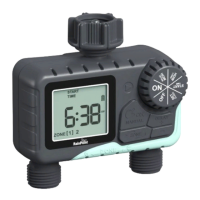
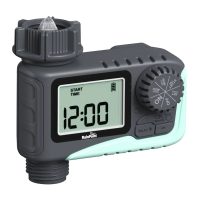
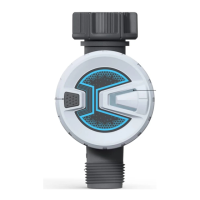
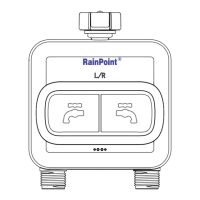
Provides a visual and textual overview of the 2-zone water timer, detailing its components like the operation button and battery cover.

Specification

Lists the technical specifications of the water timer, including thread size, operating pressure, flow rate, and waterproof level.

Product Features

Details the advanced functionalities of the water timer, such as app control, flow meter, voice control, and intelligent irrigation.

Connection and Installation

Timer Connection

Guides users through connecting the 2-zone water timer to the RainPoint app and hub, including pairing steps.

Timer Installation

Provides instructions on how to physically install the water timer vertically on a tap for optimal performance and connection.

App Features and Functions

Device Home Page

Explains the main interface of the RainPoint app's home page, highlighting key elements like valve status and water usage.

Basic Setting

Details how to configure basic settings in the app, including mist mode, duration, and pairing with soil sensors for advanced features.

Plan Setting

Guides users on creating and managing automatic watering plans, including setting start times, duration, and repeat frequencies.

Statistics

Explains how to review daily or monthly water usage data through charts and graphs within the RainPoint app.

Manual Watering

Describes how to manually activate irrigation or misting modes with settable times and durations via the app.

Troubleshooting

Notes

Warranty

FCC Statement

Customer Support

RainPoint HTV213FRF Specifications

General IconGeneral
ModelHTV213FRF
Power SupplyBattery
Number of Channels1
Waterproof RatingIP54
Operating Temperature0°C to 50°C
Timer ModesAutomatic, Manual
DisplayLCD
TypeWater Timer
Battery Type2 x AA
Working Water Pressure0.5 to 8 bar
Watering FrequencyEvery 6 hours to every 7 days

Related product manuals