EasyManua.ls Logo

RainPoint TWG009BW - User Manual

Default Icon
29 pages
Print Icon
To Next Page IconTo Next Page
Loading...
USER MANUAL
English Español
Email: seice@rainpointus.com
WhatsApp: +1 626-780-5952
US: 1-833-381-5659 (EN)
EU: +44 800-808-5337 (EN DE)
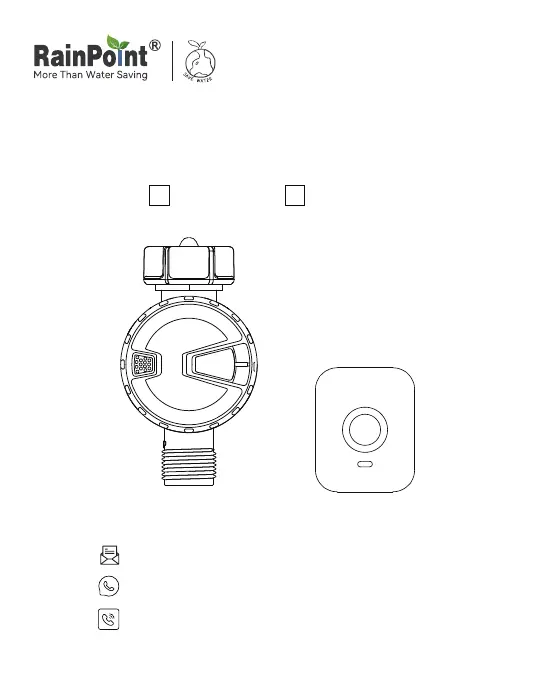
Model: TTV102B+TWG009BW

Questions and Answers

  • J
    John LeeAug 10, 2025
    Why is my RainPoint TWG009BW Timer plan not executed on time?
    • Z
      zjonesAug 10, 2025
      Several factors can cause a RainPoint Timer plan to not execute on time. It could be due to impurities in the water inlet filter, which need to be cleared regularly. The rain delay parameter may be set, or the automatic mode might be set to close the valve when it rains. Also, in a low power state, the timer may enter a low power protection state and not execute the schedule, so replace the batteries. Finally, check that the irrigation time/period is parameterized, as missing parameters can also cause this issue.
  • S
    Sean HolmesAug 17, 2025
    What to do if my RainPoint TWG009BW Timer won't turn on or off?
    • R
      Rodney WadeAug 17, 2025
      If your RainPoint Timer isn't turning on or off, the issue might stem from a few causes. First, check the battery level and replace with fresh batteries if they are low. Another potential cause is impurities in the water inlet; regularly clean the filter port to prevent disruptions. In case of an unstable network or delayed response, wait a while and try again.
  • D
    douglas64Aug 26, 2025
    How to fix low water pressure in my RainPoint TWG009BW Timer system?
    • C
      Cynthia WalkerAug 26, 2025
      Low water pressure in your RainPoint Timer system can be due to a filter blockage. Check if the filter is clogged; if it is, clean or replace it. Alternatively, the inlet pressure might not be sufficient to support watering, in which case you may need to install a booster pump or other auxiliary equipment to increase pressure.
  • P
    Paul ReeseSep 2, 2025
    Why won't my RainPoint TWG009BW connect?
    • K
      Katie ClarkSep 2, 2025
      If your RainPoint Timer won't connect, there are a few possible reasons. First, check that the WIFI network environment is working, as an unstable WIFI network can prevent connection. Another reason might be the distance from the hub; try moving closer to the hubs and routers when connecting. If these aren't the issue, try repairing the timer by pressing the button until the white light flashes rapidly, or remove the device and then reconnect it.

Summary

Installation

Install App on Your Phone

Guide to download, install, and register the RainPoint mobile application.

Pair Irrigation Gateway

Steps to connect the irrigation gateway to your WiFi network and the app.

Connect Bluetooth Irrigation Timer

Instructions for inserting batteries and pairing the Bluetooth timer with the app.

Add Timer to Gateway

Steps to link the Bluetooth timer to the already paired irrigation gateway.

Install Bluetooth Water Timer

Guidance on physically attaching the water timer to the garden faucet.

Test Before Use

Procedure to verify the timer's functionality after installation.

App Programming

Bluetooth Timer Interface

Details the timer's parameters, status, and functions displayed within the app.

Manual Watering Control

How to perform manual watering using the app or directly on the timer.

Smart Automation

Automation & Tap-to-Run Explained

Explains automated device actions based on conditions and one-tap control features.

Troubleshooting

RainPoint TWG009BW Specifications

General IconGeneral
BrandRainPoint
ModelTWG009BW
CategoryTimer
LanguageEnglish

Related product manuals