EasyManua.ls Logo

RainPoint ITV201P - User Manual

RainPoint ITV201P
56 pages
Print Icon
To Next Page IconTo Next Page
Loading...
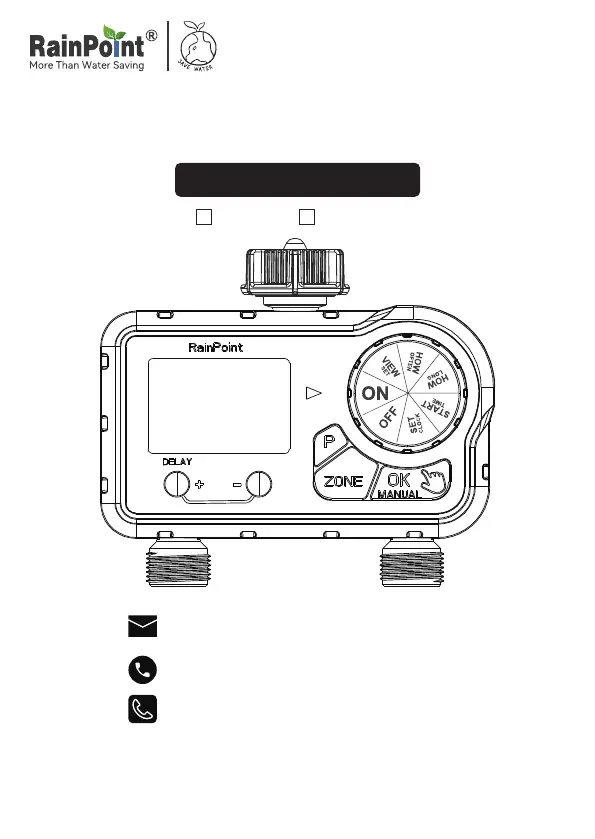
USER MANUAL
Model No.ITV201P
DeutschEnglish
Email:
seice@rainpointus.com
WhatsApp:
+1 626-780-5952
Free Hotline
US: +1 833-381-5659 (EN)
EU: +44 800-808-5337 (EN DE)
Save the user manual for future reference
If you have any questions, please contact us to get suppo

Other manuals for RainPoint ITV201P

Questions and Answers

Summary

WARM TIPS PLEASE READ BEFORE USING

PRODUCT OVERVIEW

At A GLANCE

Overview of the timer's components and features.

DIAL POSITION FUNCTION

LCD ICON FUNCTION

Explanation of icons displayed on the LCD screen.

SPECIFICATION

PRODUCT INSTALLATION

INSTALLING THE BATTERIES

Step-by-step guide on how to install batteries into the timer.

INSTALLING THE TIMER

ACTIVATE THE TIMER BEFORE USE

PROGRAMMING THE TIMER

UNDERSTANDING ZONES

Explains the two-zone functionality and how to program each zone independently.

SET CLOCK

START TIME

HOW LONG

HOW OFTEN

Set the Day of the Week Mode

Configures watering frequency by selecting specific days of the week.

Set the Every 2;3;4;5;6 Days Mode

Configures watering frequency by setting an interval of 2 to 6 days.

VIEW SET

The setting of P1, P2, P3 for ZONE R

Details the programming settings for watering plans P1, P2, P3 for ZONE R.

AUTOMATIC WATERING

ADDITIONAL FUNCTIONS

RAIN DELAY MODE

Allows postponing watering for a set period without interrupting the schedule.

MANUAL;HAND WATERING

USE ONLY ONE OF THE ZONES

OFF MODE

Instructions on how to disable all watering plans for an extended period.

BATTERY STATUS

Information on how battery status is displayed and what low battery means.

TROUBLESHOOTING

CLEANING YOUR TIMER

WARNINGS

WARRANTY

CUSTOMER SERVICE

Contact information and resources for user support and troubleshooting assistance.

RainPoint ITV201P Specifications

General IconGeneral
BrandRainPoint
ModelITV201P
CategoryTimer
LanguageEnglish

Related product manuals