EasyManua.ls Logo

RainPoint TWG009BW - App Programming

Default Icon
29 pages
Print Icon
To Next Page IconTo Next Page
To Previous Page IconTo Previous Page
Loading...
APP PROGRAMMING
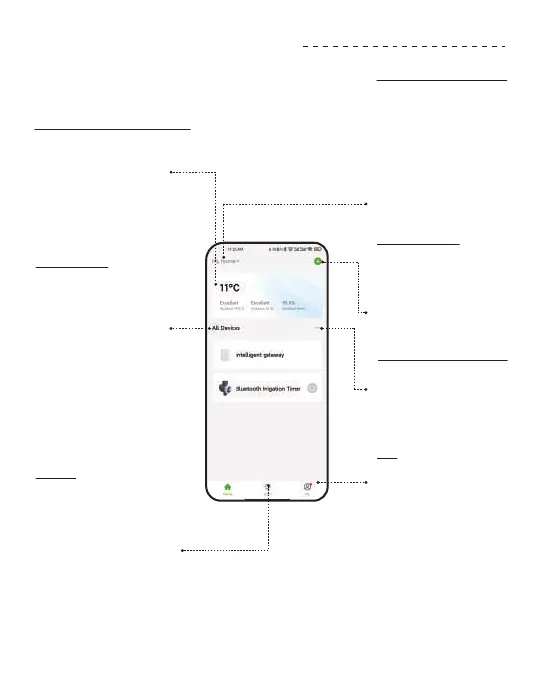
APP HOME SCREEN
Add Devices
You can add multiple
RainPoint devices on
the APP to create a
sma home irrigation
system.
Room Management
Room Management
is for indoor automatic
irrigation system in
dierent room.
Me
On the Me screen,
there is Message
Center and FAQ &
Feedback functions.
You will receive water
leak and low batte
ales on Message
Center. And you can
get FAQ and repo
issue on FAQ &
Feedback.
Local Weather Forecast
Get your local
weathe forecast from
website to realize
intelligent watering.
All Devices
A check list of all the
devices you have
connected. Tap to
enter the operation
page of devices you
have added to
program the
operation schedule
of the device.
Sma
On the Sma screen,
there is Tap-to-Run
and Automation
functions. You can
automate multiple
sma products by
setting conditions and
tasks.
Home Management
You can locate your
home, customize
the home name and
add family members.
It is convenient for you
to manage irrigation
schedules for
dierent residences.
- 11 -

Related product manuals