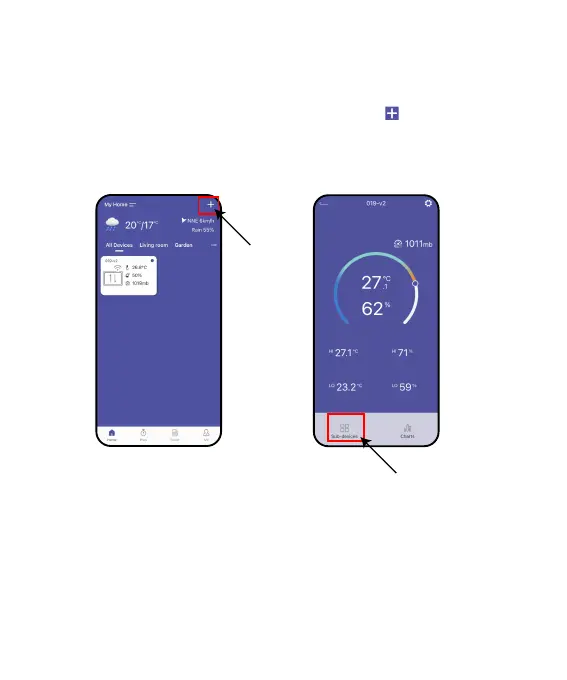
1. After the hub is successfully connected, select the button on the top
right corner of the APP home page to add device, or you can go to the
hub’s home page and use “Sub-devices” to add devices.
This device is a sub-device, please connect the hub of Rainpoint
Sma+ series before connecting this device.
2.1 Timer Connection
- 03 -



 To Next Page