3.3 Plan Setting
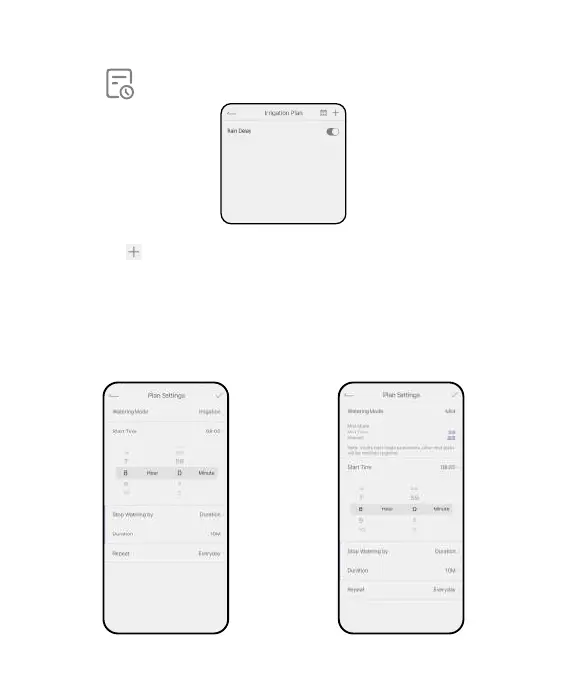
Select Plan and sta to create a new auto-watering plan.
Set a watering mode rst:
Press the icon on the top right corner of the "Irrigation Plan" page to set
irrigation plan.
Irrigation Mode: Normal watering mode with basic sta time, duration and
frequency.
Cycle & Soak: Special mist time and inteal period that can intermittent quick
watering.
- 10 -



 To Next Page