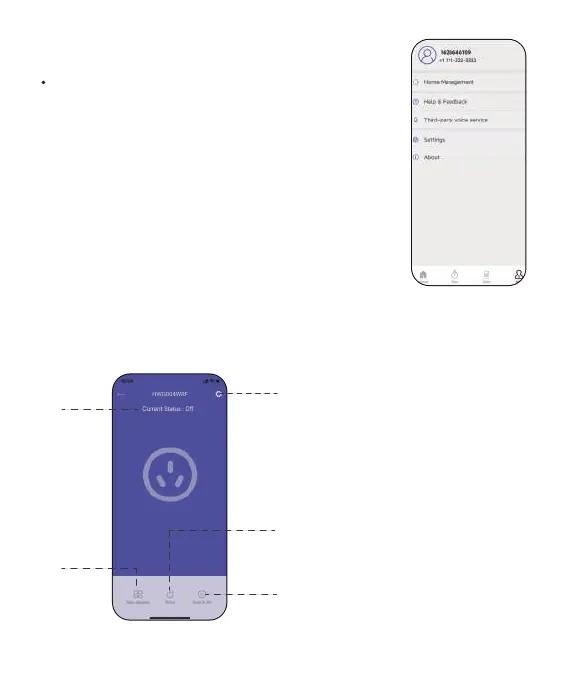
2.3.4 Me and Basic Settings
2.3.5 Device Page
Manage your account, home, basic settings,
and other options. You can also nd unit
format and notication button in these settings.
Notes: After the hub and sub-devices are
connected, the selection of the sub-devices will
be displayed on both the APP home page and
the hub’s device page. You can click the device
icons in the "All Devices" list to enter the device
page, or nd them in the "Sub-devices" list on
the hub’s device page.
1
4
5
2
3
1. Device Setting
2. Socket Status
3. Sub-device Management
4. Timer Setting
5. Manual Switch
-13-


 To Next Page