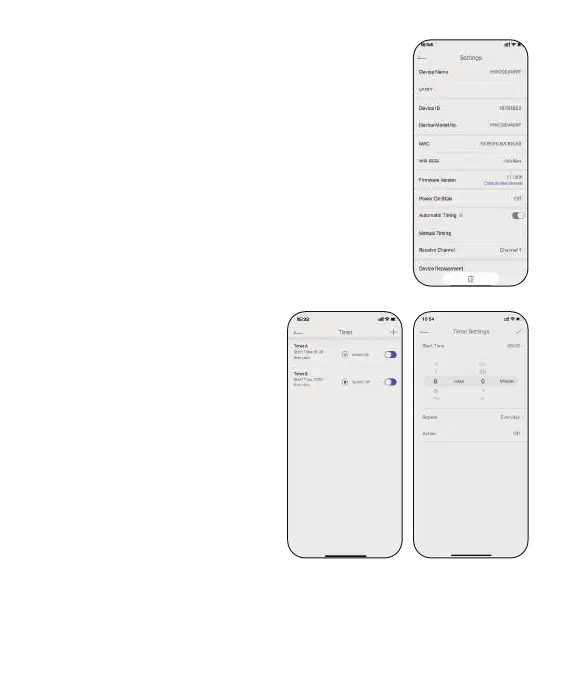
2.3.6 Device Settings
In the device settings, there are any basic
information of the socket hub and some default
settings.
Power On State: The socket default status when
just plug on.
Timing Settings: Auto and manual timing calibration.
2.3.7 Timer Setting
Add a schedule to turn ON/OFF
the sma socket with conditions
like sta time, repeat day, and
action.
You can also use the button on
the right of each plan to quick
control it.
-14-


 To Next Page