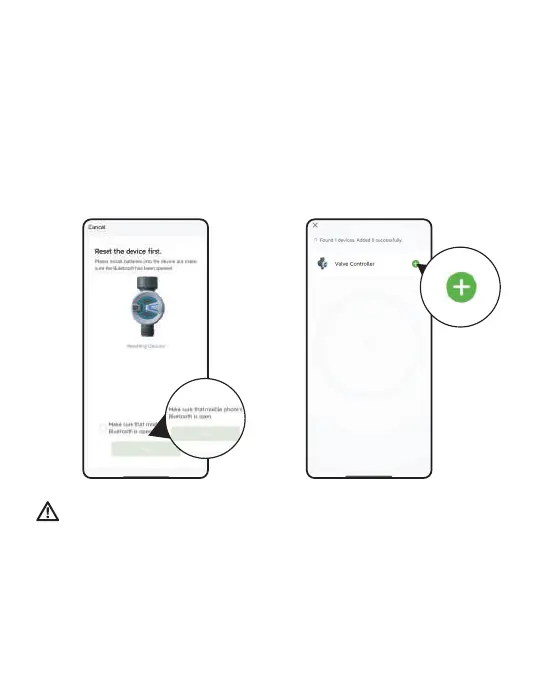
4. Press and hold the button on the timer until the Blue LED indicator
blink rapidly (2 times per second). Then select "conrm indicator
rapidly blink"and tap Next.
The APP will search and pair your Bluetooth Water Timer automatically.
5. Click " +" on the right side of the device to add the device, and then
click "Done" for nal conrmation after the device is successfully added.
Note:Before adding the water timer, please turn on the Bluetooth for
pairing, and turn o the Bluetooth after the pairing is successful. In
addition, please pay attention to the distance when connecting with
Bluetooth. We recommend that you connect within 1 meter of the
water timer for faster pairing.
- 07 -



 To Next Page