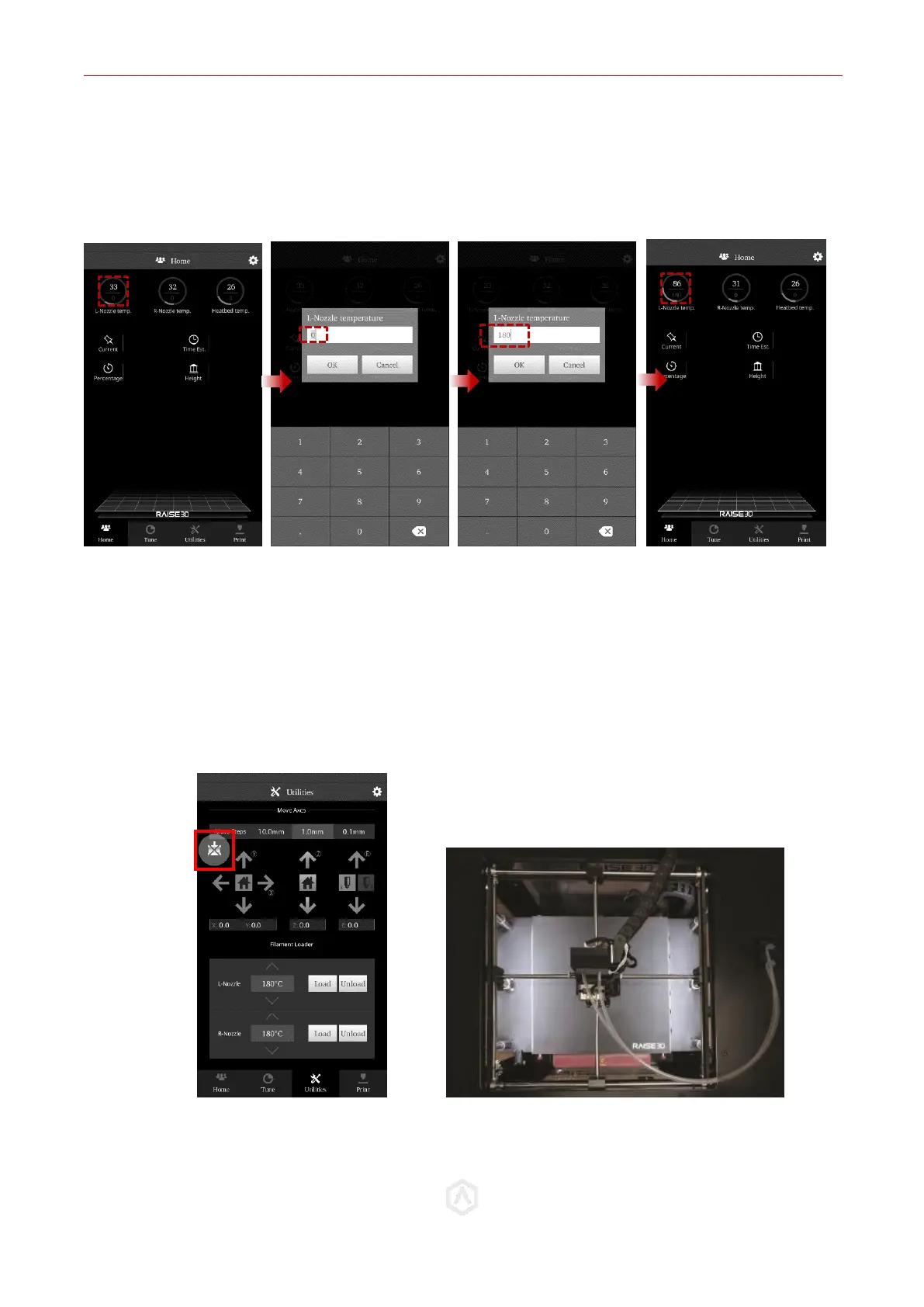
• In the Home tab of the touchscreen, select the Left nozzle, and set the temperature to 180. This
will ensure that the left nozzle is enabled and in the proper position.
• In the Utilities tab, select the Z-Axis Home button to move the bed into the origin position.
STEP 6: Extruder Positioning
⚫ Disable the motor with the ‘Disable Motor’ button. This will allow you to freely reposition the
extruder by hand.
⚫ Move the extruder head along the rods into the center position.
When physically moving the extruder, avoid touching high-temperature components. Perform
all motions via the upper section of the extruder head.



 To Next Page