Trying Out the Instrument
R&S
®
RTO2000
76Getting Started 1332.9719.02 ─ 10
4. Close the dialog box.
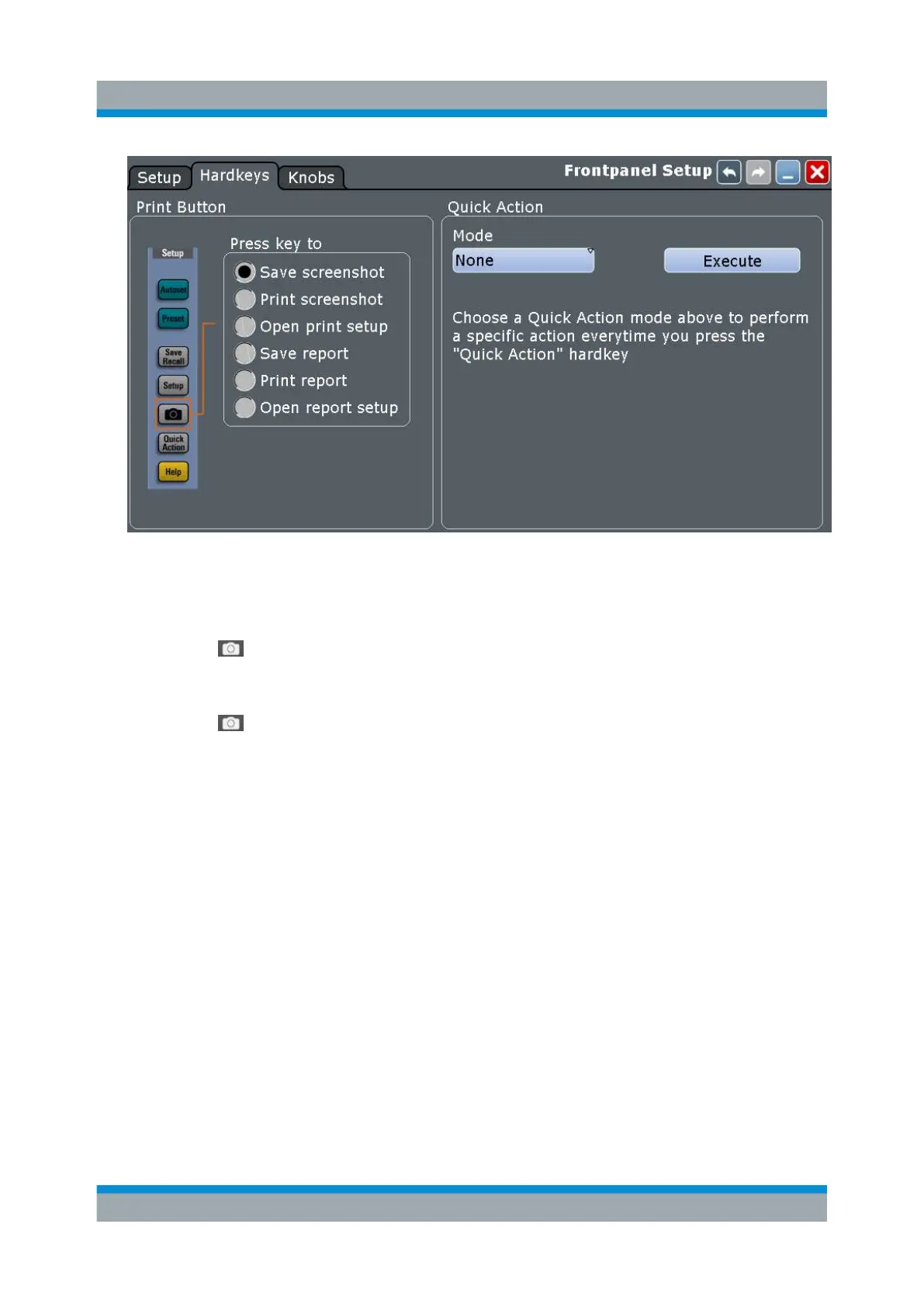
To save screenshots
1. Press the key.
2. Change the horizontal scale.
3. Press the key.
The files are saved to the following directory:
C:\Users\Public\Public Documents\Rohde-Schwarz\RTx\
ScreenShots
The default file name is Screenshot_<date>_<index>_<time>.png.
4. To access the saved files, open the "File" menu and tap "Minimize Applica-
tion".
5. Double-tap the "User" folder icon on the desktop.
6. Open the ScreenShots folder.
Printing and Saving Screenshots


 To Next Page