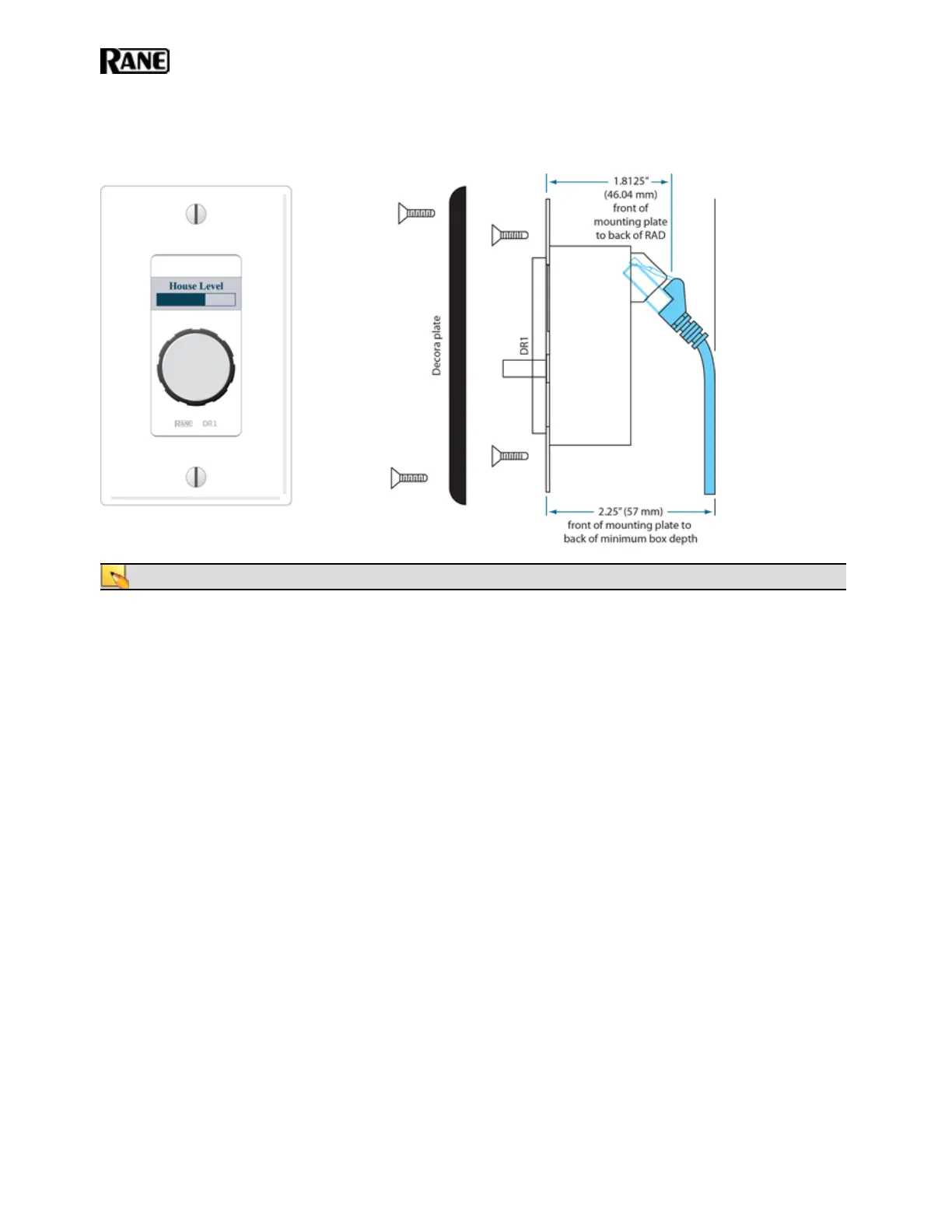
DR1
A DR1 provides a single level control. A DR1 is used most commonly to control volume.
NOTE: A DR1 requires a one-gang standard switchbox for installation into a wall.
DR2
A DR2 works well for selecting sources, presets, and room configurations. You can configure a DR2 to behave in
one of two ways:
l
Single Selector: The control acts as a selector switch that can select only one item on the display screen.
For example, the display screen might show a list of background music channels. The user uses the push con-
trol to select which channel to activate. This behavior is similar to a radio button in a software application
(as displayed in the image below).
l
List of Toggles/Commands: The control acts as a switch for enabling or disabling each item on the display
screen. For example, the display screen might list presets and the user uses the push control to enable or dis-
able each preset in the list. This behavior is similar to a series of checkbox items in a software application.
HAL SYSTEM INSTALL GUIDE
46


 To Next Page