28
Oven check
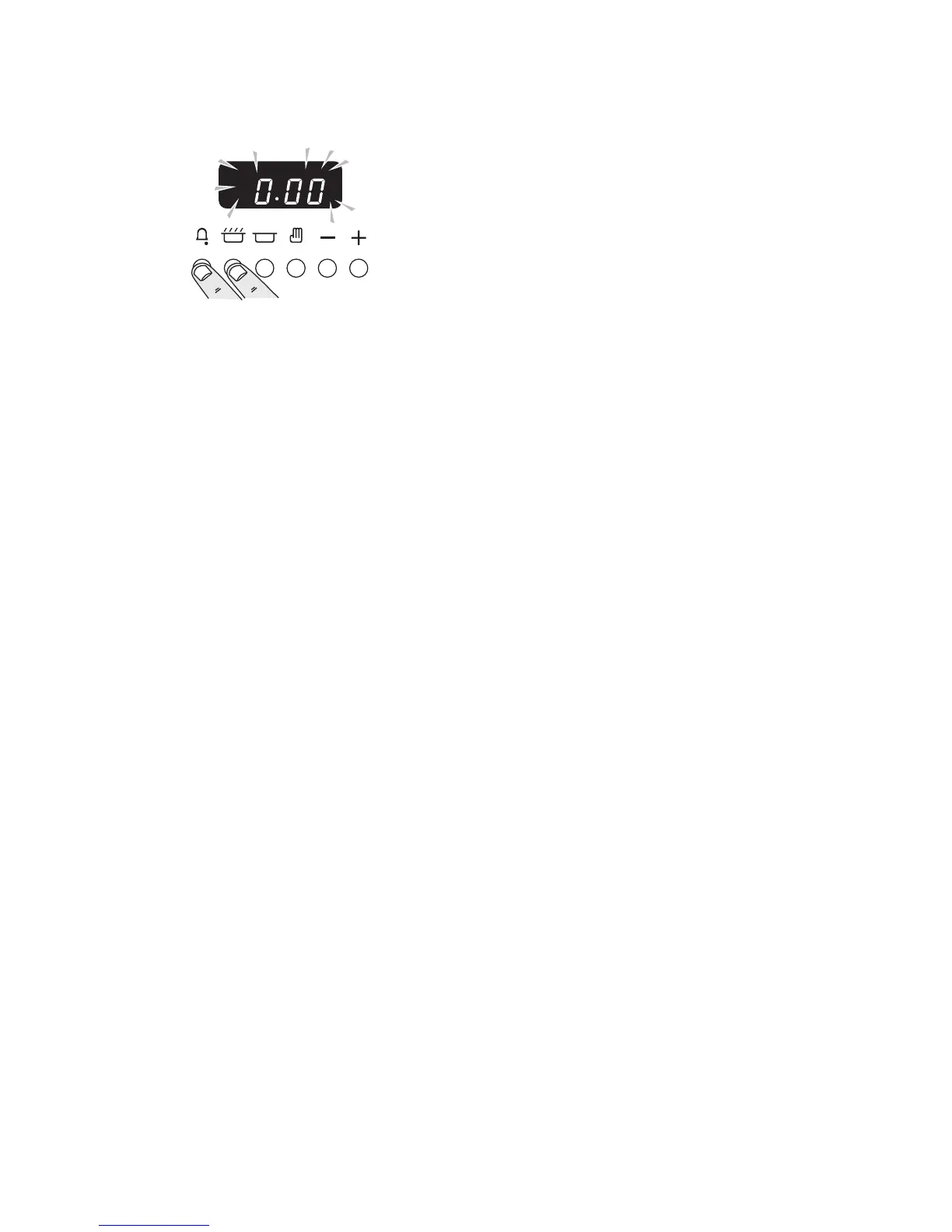
The clock must be set to the time of day before the ovens
will work.
Press and hold as shown.
At the same time, press - or + until the correct time shows.
Don’t forget it’s a 24 hour clock.
If you make a mistake or press the wrong button, turn off
the power supply for a minute or two and start again.
Turn on the oven and check that the oven fan starts to turn
and that the oven starts to heat up. Turn off the oven.
Customer care
Please complete your details in this Guide, inform the user
how to operate the cooker and hand over the Instructions.
Thank you.



 To Next Page