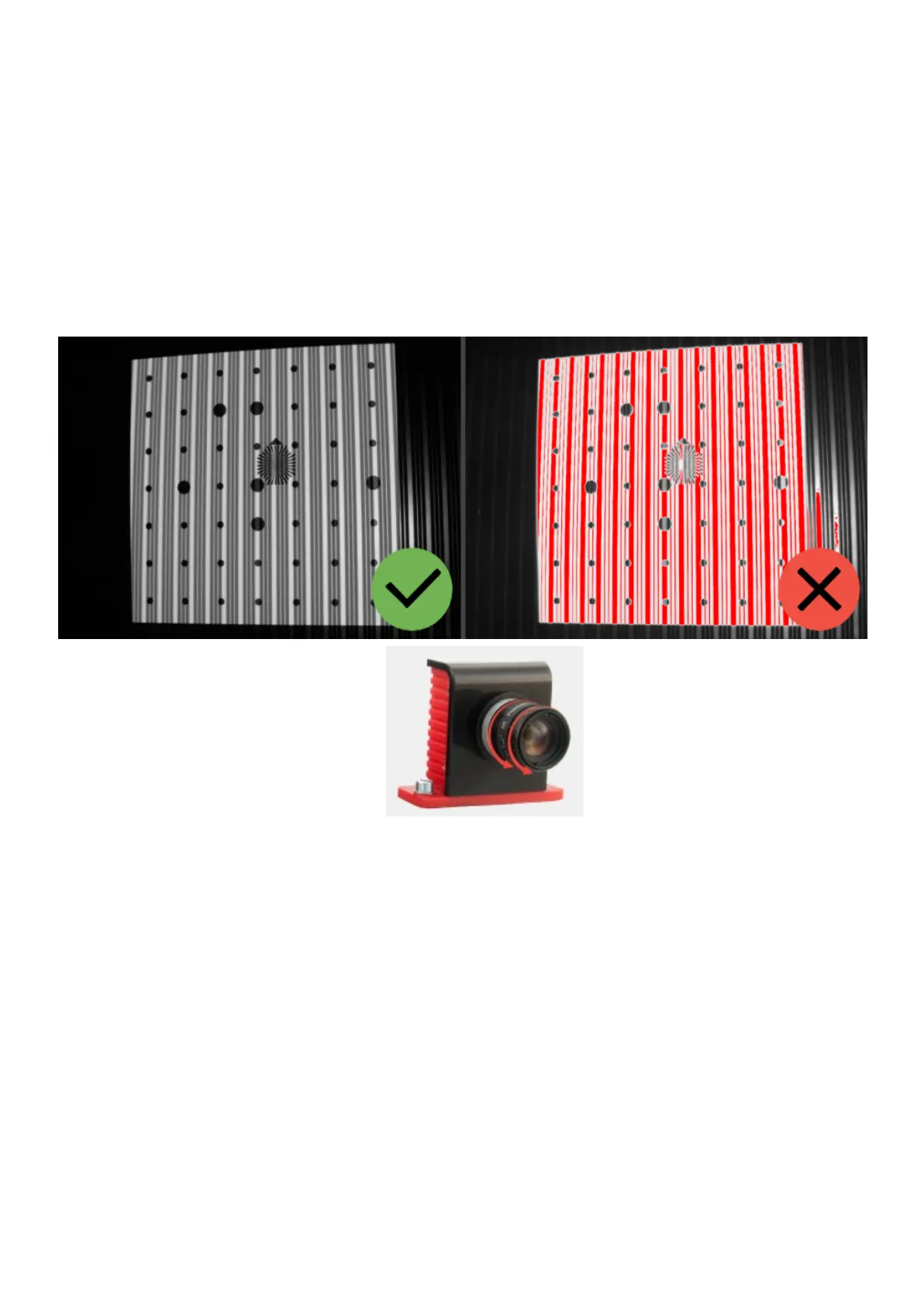
Initialsetupofcamerasandlenses
Whenyoufirstsetupthescanner,imagefromthecamerasmaynotbeinfocusorcan
betoobrightortoodarkduetodifferentexternallightingconditions.Adjustcamera
lenses,sothatthebrightnessisacceptable:withouttheredoverexposedareasandnot
toodark.
Lensadjustmentiscarriedoutbyrotatingtheringontheobjective.Loosen(donot
unscrew!)theretentionscrewandrotatethering.
Lensadjustmentiscarriedoutbythefollowingelements:
1. Theiristuningring
2. Theirisringretentionscrew
3. Thefocustuningring
4. Thefocusringretentionscrew
Donotcompletelyremovetheretainingscrewsofthelensrings,itisenoughjustto
loosenthem.Afteryoufinishedtuningthelens,locktheadjustmentringswiththe
screwsprovided.


 To Next Page