Configuringcomputerparameters
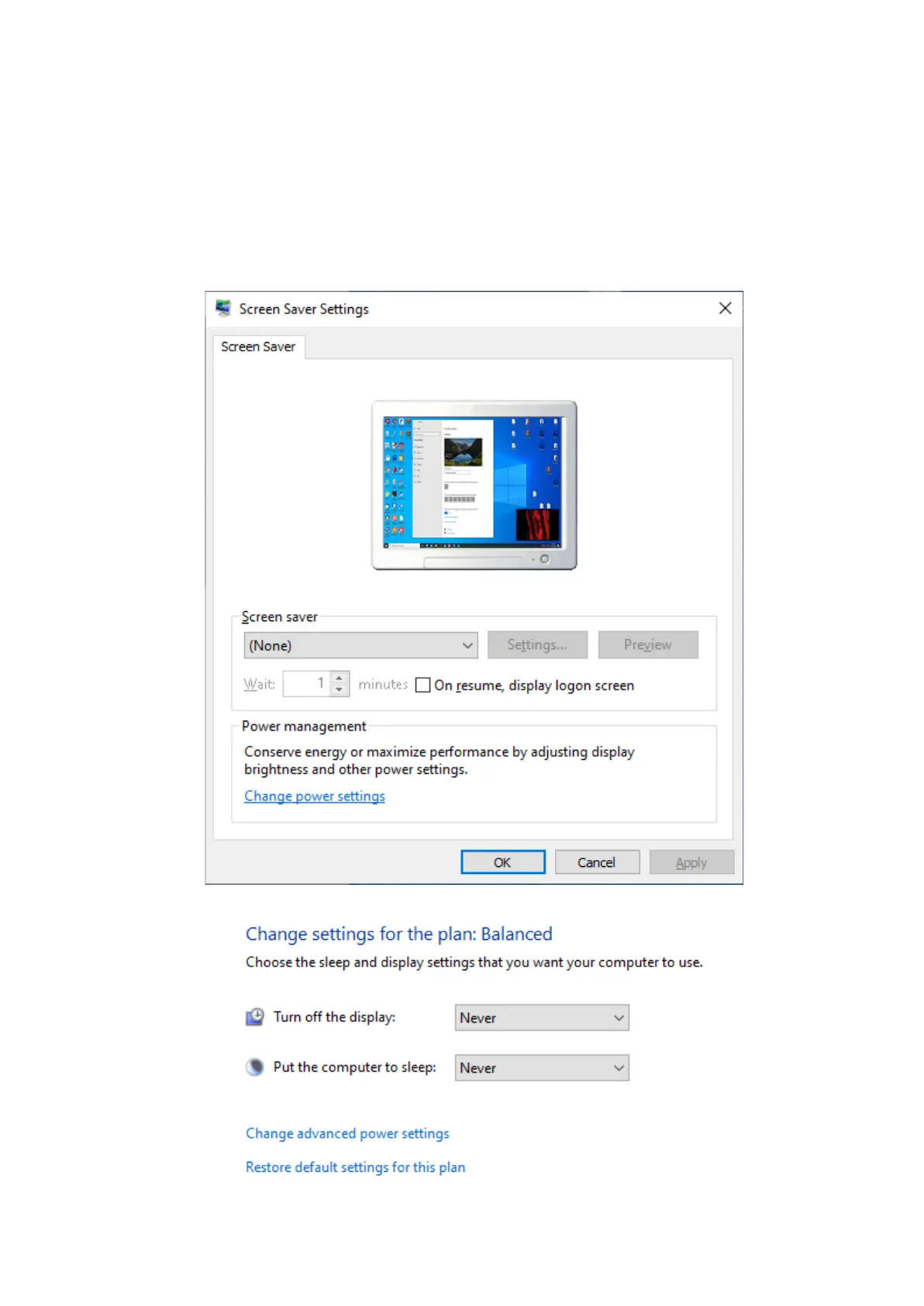
Toavoidarecurrenceoftheproblemsduringthescanneroperation,youmustturn off
the screensaverandsleepmode.
Byclickingrightmousebuttononthedesktop,selectPersonalize→Screensaver and
turn off thescreensaver,disableturningoffthedisplayandputtingthe computer in sleep
mode.


 To Next Page