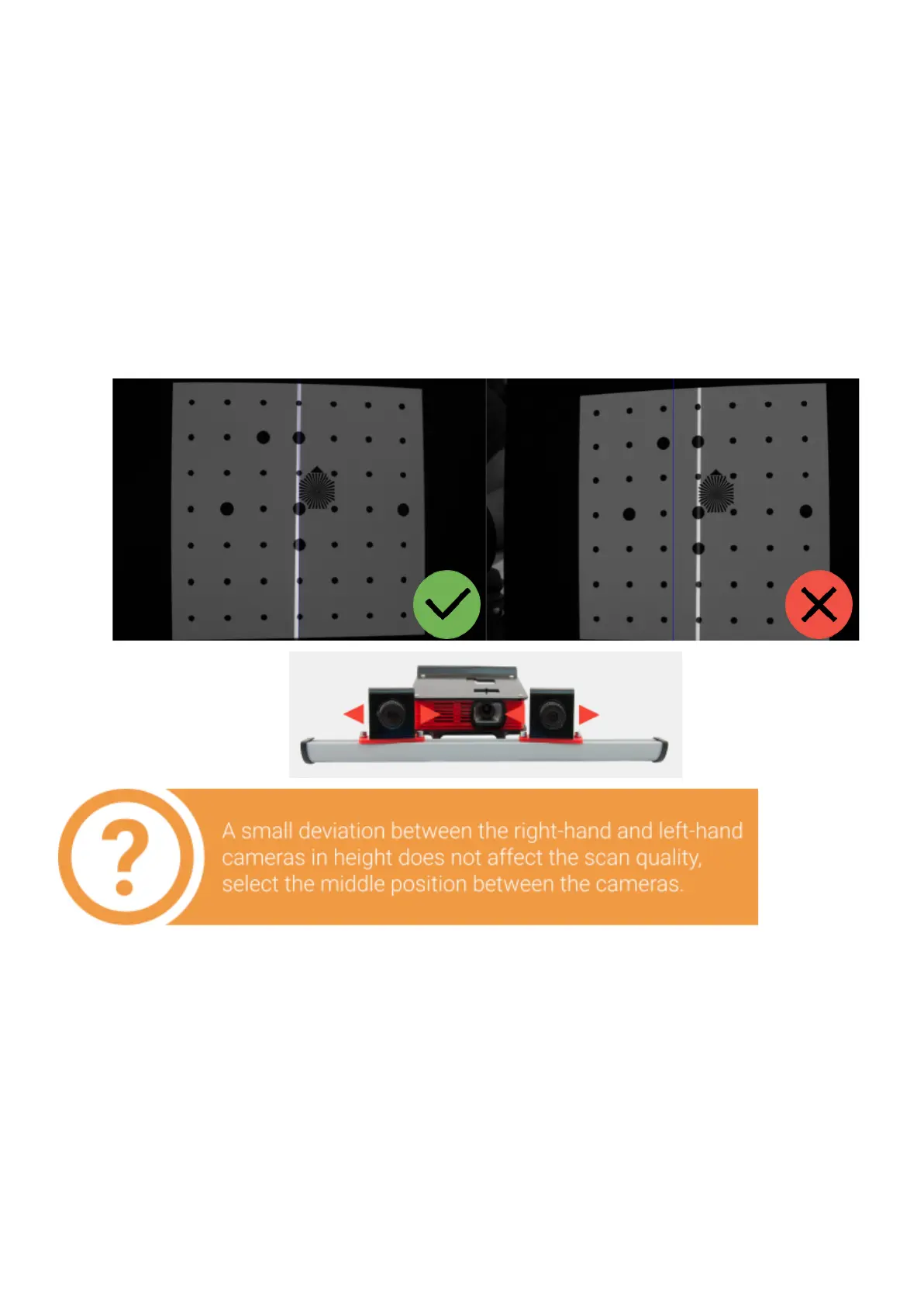
Bringingthecamerastogether
Fortheworkofthescanneritisnecessarytopointbothcamerastothesame position
on the specifiedworkingdistance.Installthecalibrationplatein front of the scanner on
the foundworkingdistance(ifyouchangeditsposition after the projector focusing
procedure).
Turn on the Cross light mode and aim the scanner to the calibration plate. It is not
necessary to combine cross with marks on the plate at this stage, the focused projector
should be projecting a cross on any surface, located at the working distance from the
scanner. Move the cameras on the bar so that the vertical line of the light cross lies
approximately on the central vertical blue line in the both camera views.


 To Next Page