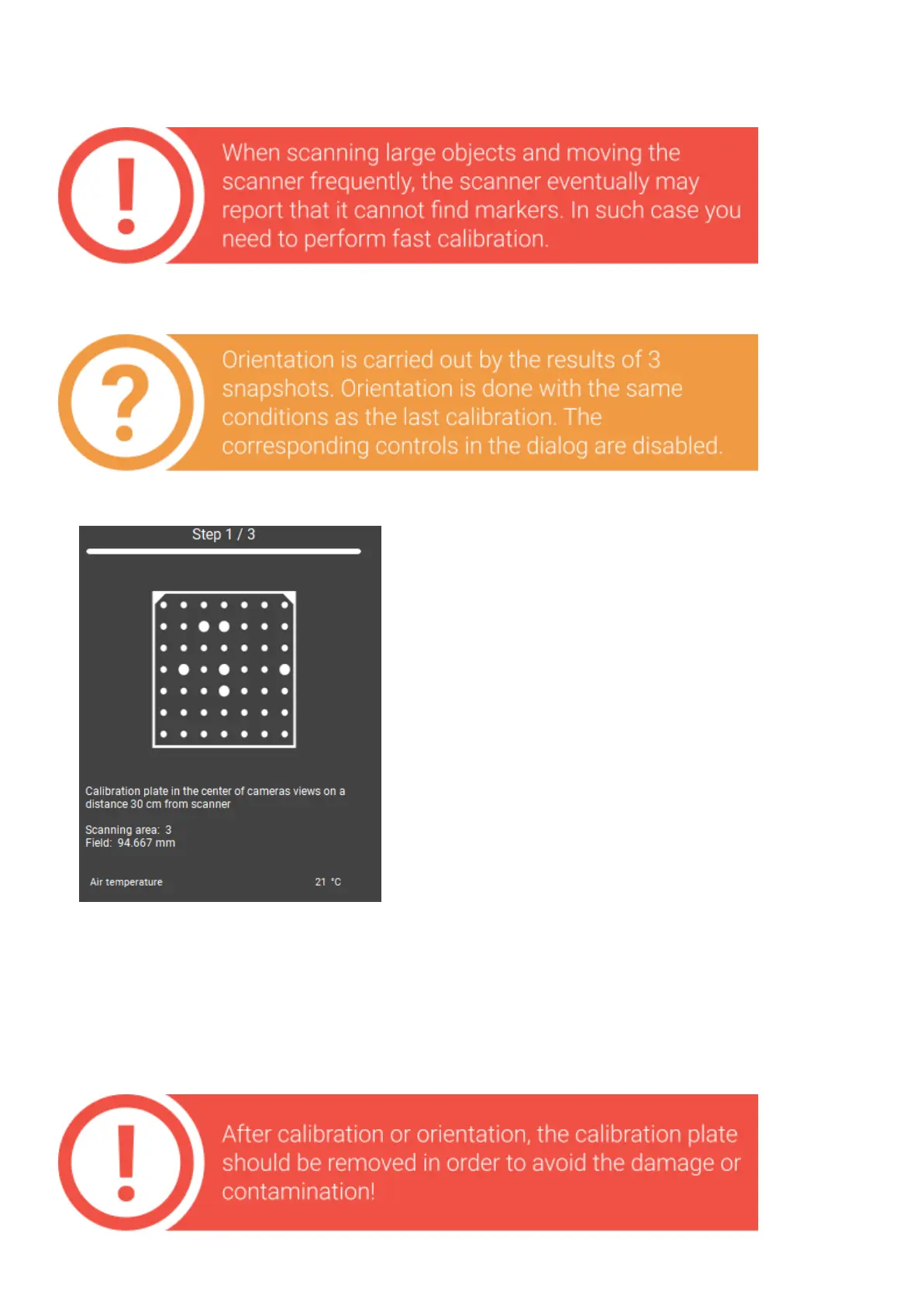
Fastcalibration(orientation)
Theorientationcanbestartedfromthe
CalibrationwindowontheStartscreen.
● placethecalibrationplateatthe working
distance to the scanner (the first calibration
position),
● press the Capture button,
● next, following the steps, make two more
shots,
● after this the accuracyoforientation will be
shown. It should be approximately equal to the
accuracy valueofthelastcalibration.
Iftheaccuracyduringorientingstartstobe verydifferentfromtheoriginalone,youneed
to re-calibratetheequipment.
Example: The initial accuracy is 0.024, accuracy after orientation is 0.065. The value
exceeded 0.05, re-calibration is required.


 To Next Page