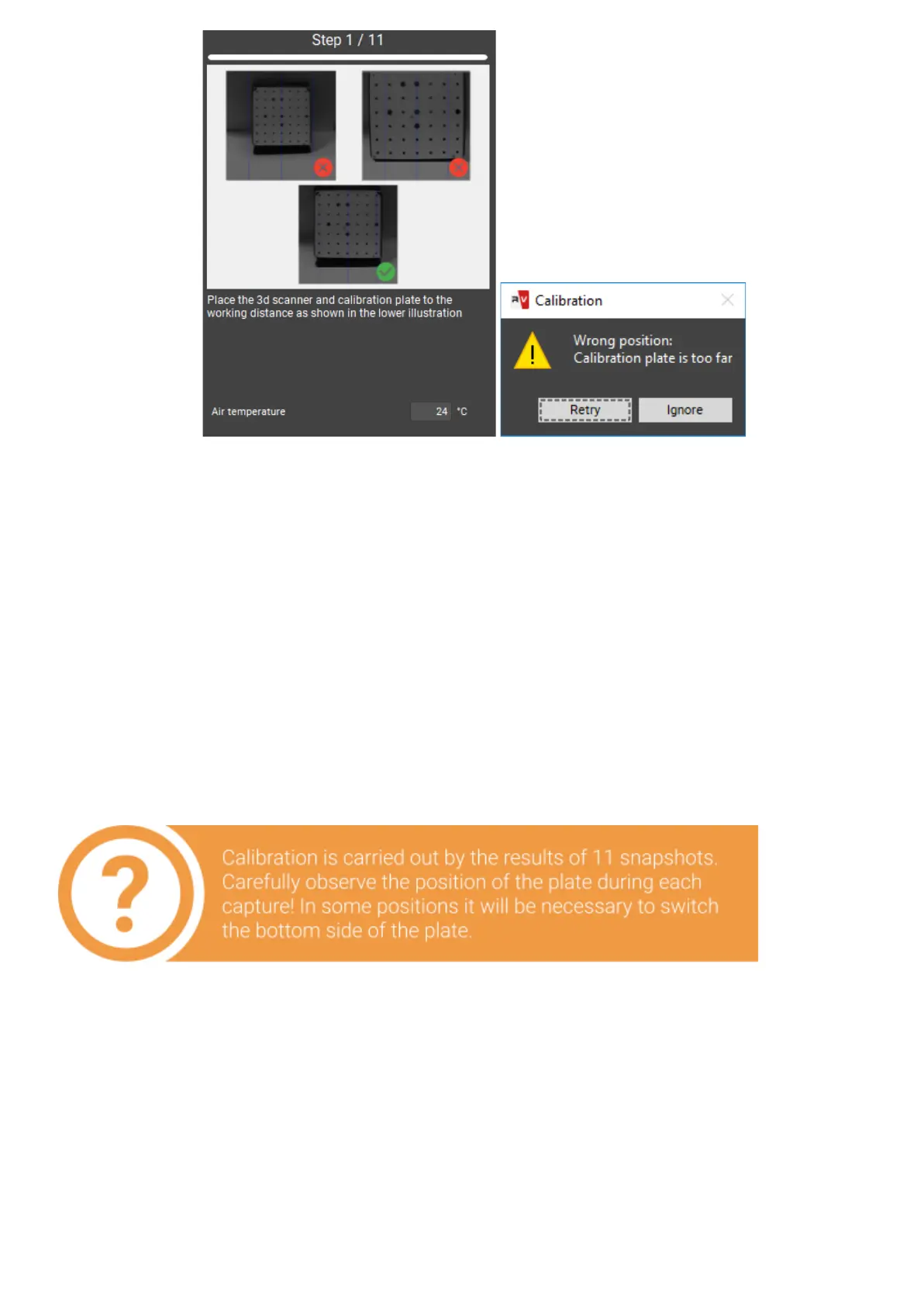
In case if not all marks are found on the image, you will also see the error message. It
may mean the following:
● not all markers are visible on one of the snapshots,
● not all markers are lit by the projector,
● calibration plate is mounted at large angle to the scanner,
● plate is too close or too far from the scanner - the image is not sharp,
the plate is damaged or dirty.
Please correct all deficiencies and press Capture.
Afterallthenecessarysnapshotsaretaken,waitfortheresultofcalibration procedure.
From now on the resulting accuracyofcalibrationwill bespecified on the home screen
inpixels.Agoodresult is accuracy no worse (not higher) than 0.1 pix. If you get a higher
result, repeat the calibration, carefully checking the plates position and brightness. Ifisis
necessary, repeat calibration withoutbluelightandfilters.


 To Next Page