User and maintenance manual for stoves with RDS technology
Pag.26
01/02/2016
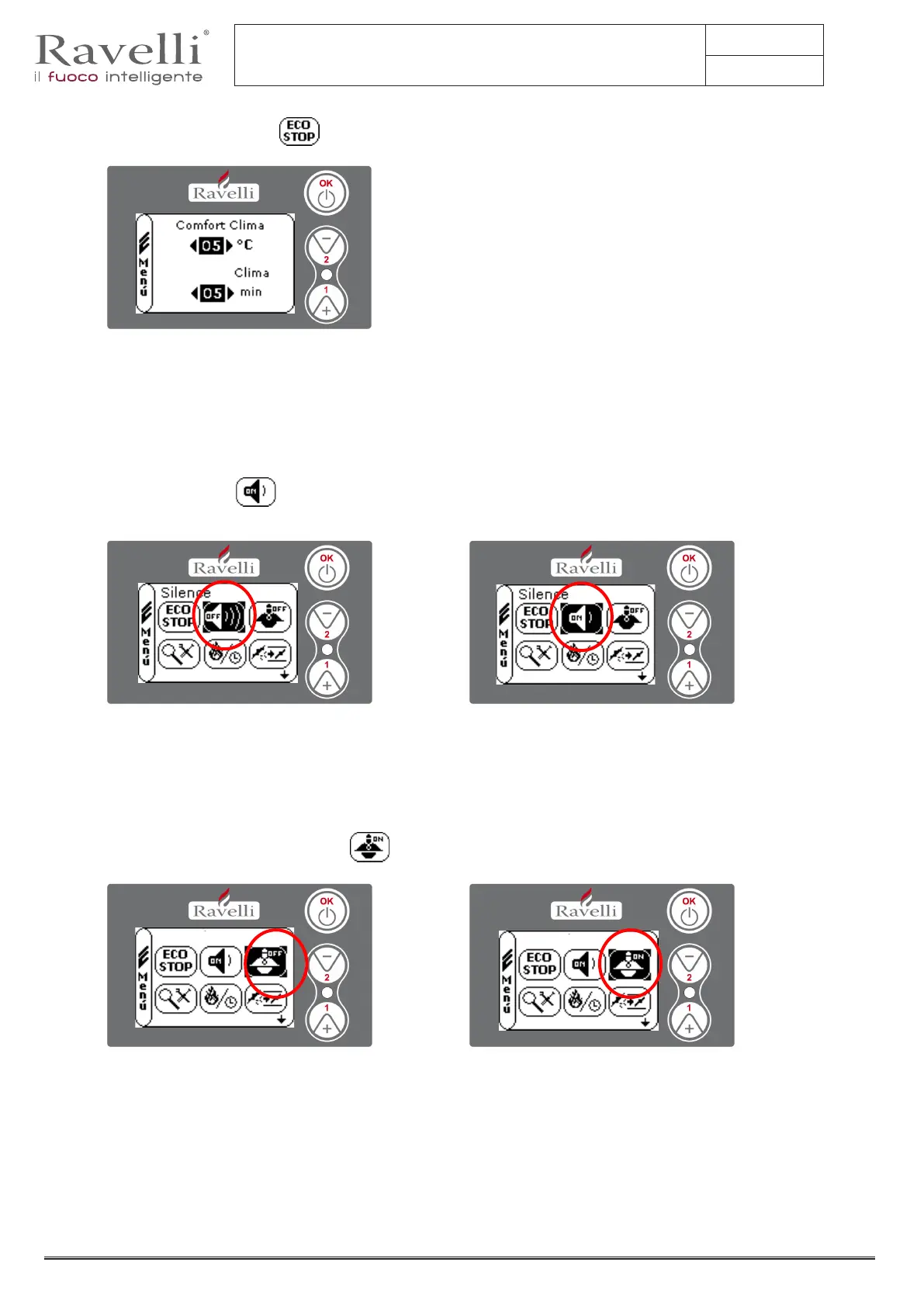
7.2.9 Mode “SELF CONTROL SYSTEM”
To enter in the USER MENU press two times key OK.
To enter in the MODE S.C.SYSTEM press 8 times key 2 and conrm with OK. Enable or disable the function by using key OK.
To return to the main screen press at the same time keys 1 and 2.
Alternatively it is possible to exit by step from the menus by pressing each time the key OK.
7.2.8. Mode “SILENCE”
To enter in the USER MENU press two times key OK.
To enter in the MODE SILENCE press 7 times key 2 and conrm with OK. Enable or disable the function by using key OK.
To return to the main screen press at the same time keys 1 and 2.
Alternatively it is possible to exit by step from the menus by pressing each time the key OK.
7.2.7. Menu “COMFORT CLIMA”
To enter in the USER MENU press two times key OK.
To enter in the menu “COMFORT CLIMA” press 6 times key 2 and conrm with OK. To modify the settings use keys 1 and 2 and by pressing
OK you conrm the data and go on to the following one.
By last conrmation with OK you save all settings and return automatically to the screen with the icons.
To return to the main screen press at the same time keys 1 and 2.
Alternatively it is possible to exit by step from the menus by pressing each time the key OK.
Delay
S.C. System
S.C. System



 To Next Page