User and maintenance manual for stoves with RDS technology
Pag.31
01/02/2016
FLOWMETER (only
if the RDS system is
provided)
PHASE SCREW
ALARM
TRIAC SCREW
ALARM
NO FLOW (only if
the RDS system is
provided)
• The device is disconnected or defective
•
Please contact the local Technical Assistance Centre
• The gear motor is not correctly connected
•
Please contact the local Technical Assistance Centre
•The device in the motherboard which commands the feeding screw
is defective
•
Please contact the local Technical Assistance Centre
- The ow meter does not measure inlet air ow
- Check if the ash pan and door are closed correctly and check if the
air inlet pipe is obstructed.
- If the problem persists, contact the Support Service
9. Description of alarms
WARNING
REASON SOLUTION
NO PELLET
• The pellet hopper is empty • Check whether there are pellets in the hopper
• The gearmotor does not load pellets.
• Empty the hopper to check that no objects have fallen inside
which could prevent the correct functioning of the screw
• No pellet loading
• Regulate the pellet setting
• If the problem continues, contact the area Technical
Assistance Centre.
BLACK - OUT
• No electricity supply during working phase
• Press the o button and repeat switching on the stove
•
If the problem continues, contact the area Technical Assistance Centre.
NO IGNITION
ALARM
• The pellet hopper is empty.
• Check if there are pellets inside the hopper.
• Setting of pellets and of intake during ignition phase
insucient.
• Contact local Technical Assistance Centre.
•
The igniter is defective of not in correct position.
• Contact local Technical Assistance Centre.
ALARM LOW
FLAME
• The pellet hopper is empty. • Ceckis pellet is in the hopper
• Bad setting of pellet and air for the ignition phase
• Contact local Technical Assistance Centre
ALARM FAN
RPM
• The speed of flue fan is lower more then 15% of set value.
• Contact local Technical Assistance Centre
ALARM FAN
BROKEN
• Flue fan encoder is not working or not correctly connected
• Contact local Technical Assistance Centre.
• No power supply to ue fan
• Contact local Technical Assistance Centre.
• The flue fan is blocked • Contact local Technical Assistance Centre.
DEPRESSION
ALARM
• The combustion chamber is dirty
• Follow the cleaning operations of the stove in the booklet
• The chimney is blocked • Check that the chimney is clear and clean
• The pressure switch is malfunctioning
• Please contact local Technical Assistance Centre
THERMAL
ALARM WITH
RESET
• The thermostat with manual reset has intervened • Reset the thermostat pressing the button on the back
of the stove (see Pic. below).
• The air fan is defective
• Please contact local Technical Assistance Centre.
• Combustion in the re pot is not
optimal
• Switch o the stove, clean the re pot and regulate
combustion with the setting of the pellets.
•
If the problem continues, contact the area Technical Assistance Centre.
HOT SMOKE
ALARM
• Combustion in the re pot is not
optimal
• Switch o the stove, clean the re pot and regulate
combustion with the setting of the pellets.
• The air fan is defective
• Contact local Technical Assistance Centre.
•
If the problem continues, contact the area Technical Assistance Centre.
SMOKE SENSOR
ALARM
The smoke sensor is malfunctioning
• Please contact the local Technical Assistance Centre
The smoke sensor has been disconnected from the board
• Please contact the local Technical Assistance Centre
REASON
SOLUTION
• The door and the ash box are not closed correctly
•Make sure they are properly closed.
• Poor combustion in grate.
•
Switch o the stove, clean the re pot and check the cleanliness of
thesupport bench, clean the tube bundle by activating the turbolators.
andadjust the combustion through Pellet/Air settings.
•
Presence of foreign body in air intake tube. • Check for any foreign body and remove it
• The air ow meter may be dirty.
• Clean the flow meter with the stove in “Switched off” state
•
Contact the Support Service
SIGNALLING
Do CLEANING Fire pot
(only if the RDS system is
provided)
1 - By pressing the button OK on the display. the alarm can be reset.
3 - Try and repeat lighting after the cooling phase.
2 - Unscrew the protection cap and press
the button to reset the thermostat alarm.
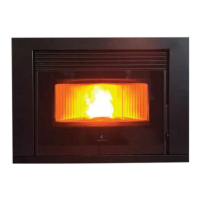
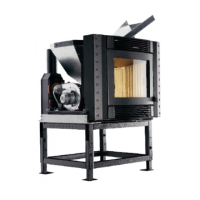
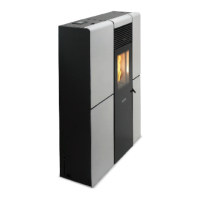
THERMAL ALARM WITH RESET



 To Next Page