51
Field Review Map
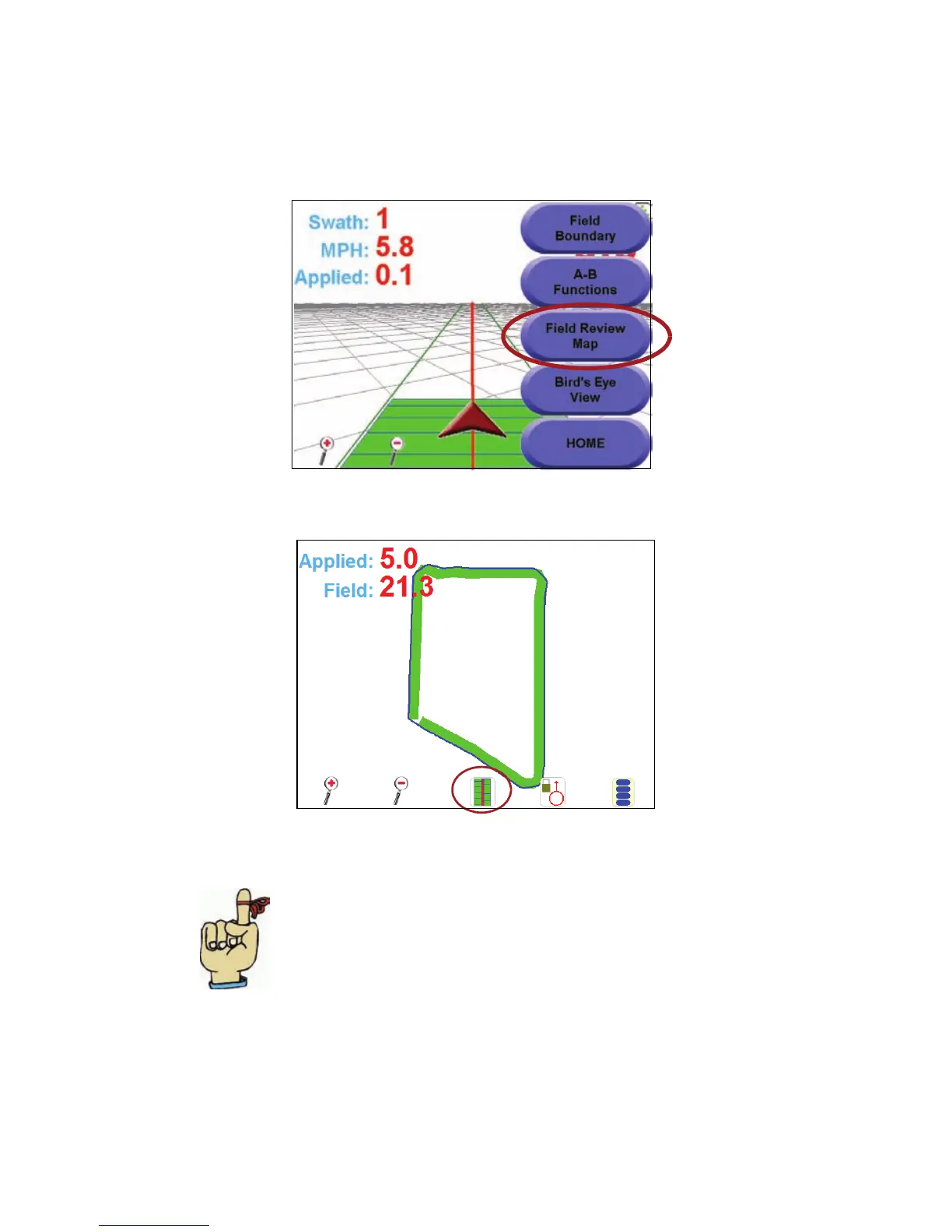
The ‘Field Review Map’ screen displays a view showing the entire field that
you are working on, as well as a coverage map for your job.
1. While in a job, touch the ‘Menu’ button. The menu button expands.
Touch the ‘Field Review Map’ button.
2. The ‘Field Review Map’ displays, showing the entire field and your
coverage.
Helpful Hints:
• You can touch the ‘Overlap’ button to
‘re-paint’ the field map showing the overlap
areas in red.
• To change back to the guidance view, touch
the ‘Menu’ button, then select ‘Return to
Guidance’.
• Modifying a Spray or No Spray Zone,
including a field boundary, can be done within
a job from the Field Review Map if
“AccuBoom” and “Use a Spray Zone Map” is
selected when starting the job.



 To Next Page